> For the complete documentation index, see [llms.txt](https://docs.enlyze.com/llms.txt). Markdown versions of documentation pages are available by appending `.md` to page URLs; this page is available as [Markdown](https://docs.enlyze.com/connect/edge-device/enlyze-edge/routen-verwalten.md).
# Routen verwalten
Bestehende Netzwerkrouten auf dem Edge Device verwalten.
Der folgende Abschnitt beschreibt, wie du angelegt Routen in ENLYZE Edge verwaltest. Für jede Route stehen folgende Aktionen zur Verfügung:
* Bearbeiten
* Löschen
{% hint style="warning" %}
Durch Anpassen oder Löschen statischer Routen besteht die Gefahr, dass du dich aus ENLYZE Edge aussperrst, wenn die Konfiguration fehlerhaft ist. Stelle sicher, dass du die korrekten Netzwerkdetails eingibst, bevor du Änderungen speicherst.
{% endhint %}
### Voraussetzungen
* Zugriff und Login Daten für ENLYZE Edge
* Im Falle einer Änderung benötigst du Kenntnis über das Zielnetzwerk und die zu verwendende Gateway IP. Stelle hierzu sicher, dass das Zielnetzwerk außerhalb von `10.21.0.0/16` liegt.
### Netzwerkkonfiguration aufrufen
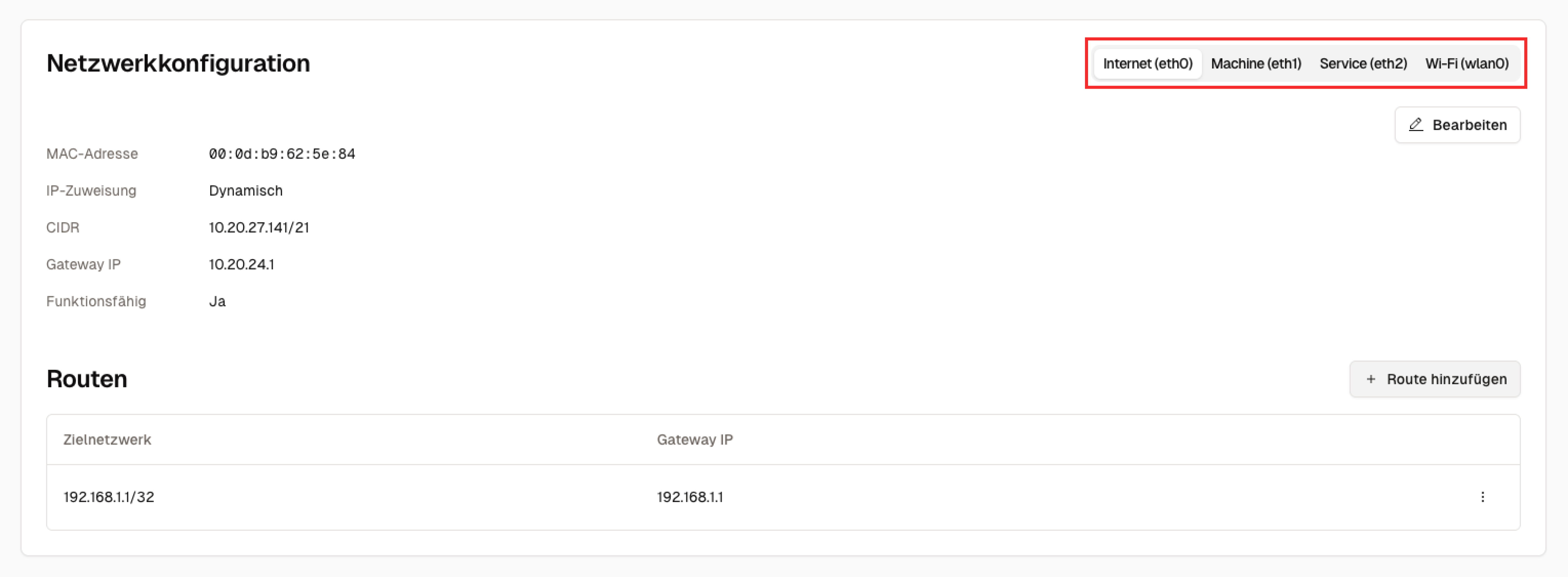
Analog zur Einrichtung findet die Verwaltung von Routen in der Ansicht Netzwerkkonfiguration statt. Naviere hierzu zur Seite "Interfaces" im ENLYZE Edge Web-Interface und wähle das Interface aus, für welches du eine Route bearbeiten oder löschen möchtest.
### Verwaltungsmenü aufrufen
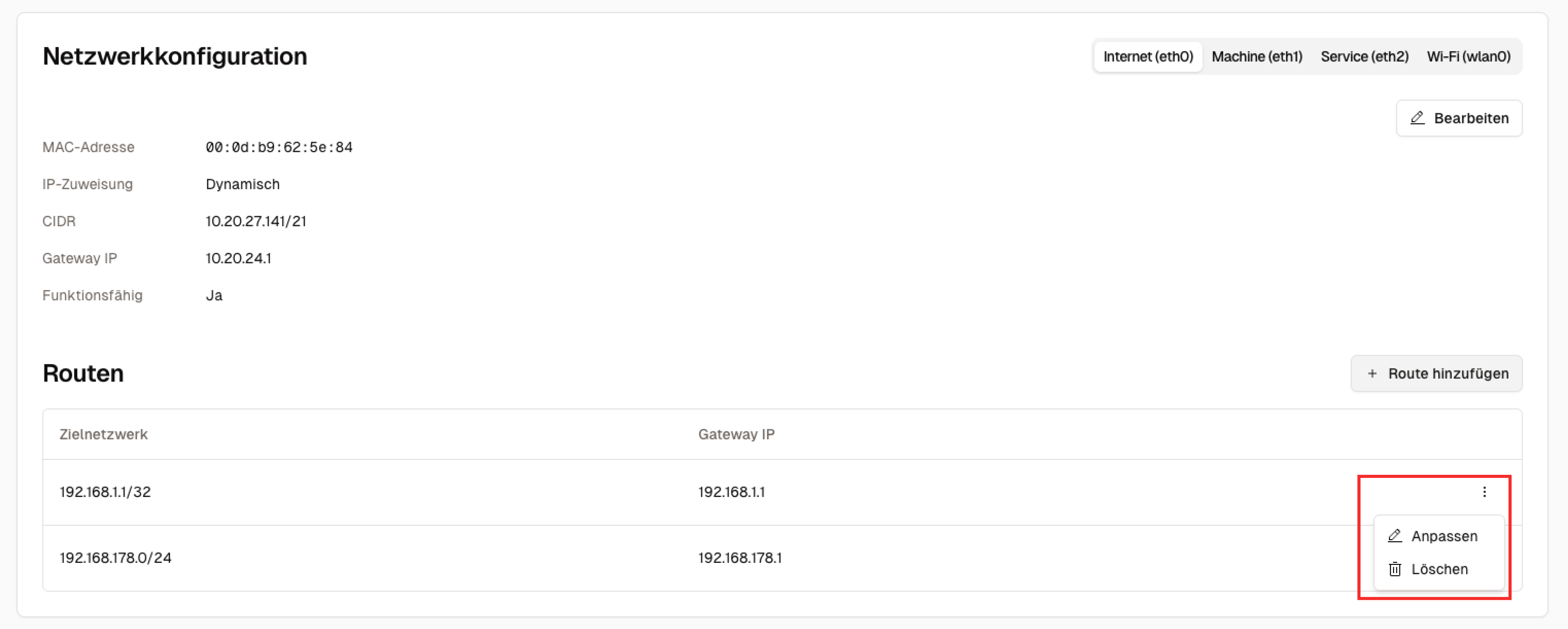
Klicke nun auf das durch drei Punkte gekennzeichnete Overflow Menü der ausgewählten Route und wähle eine der beiden Aktionen "Bearbeiten" oder "Löschen" aus.
### Problembehandlung
Falls du Probleme mit der Routenkonfiguration hast, hilft dir unser Troubleshooting Guide weiter:
{% content-ref url="/pages/i65YvYEKhs86ncmXp07y" %}
[Troubleshooting](/connect/edge-device/enlyze-edge/troubleshooting.md)
{% endcontent-ref %}