> For the complete documentation index, see [llms.txt](https://docs.enlyze.com/llms.txt). Markdown versions of documentation pages are available by appending `.md` to page URLs; this page is available as [Markdown](https://docs.enlyze.com/en/administration/api-keys.md).
# Manage API keys
Create, view, and revoke API keys for your personal access or for your organization's integrations.
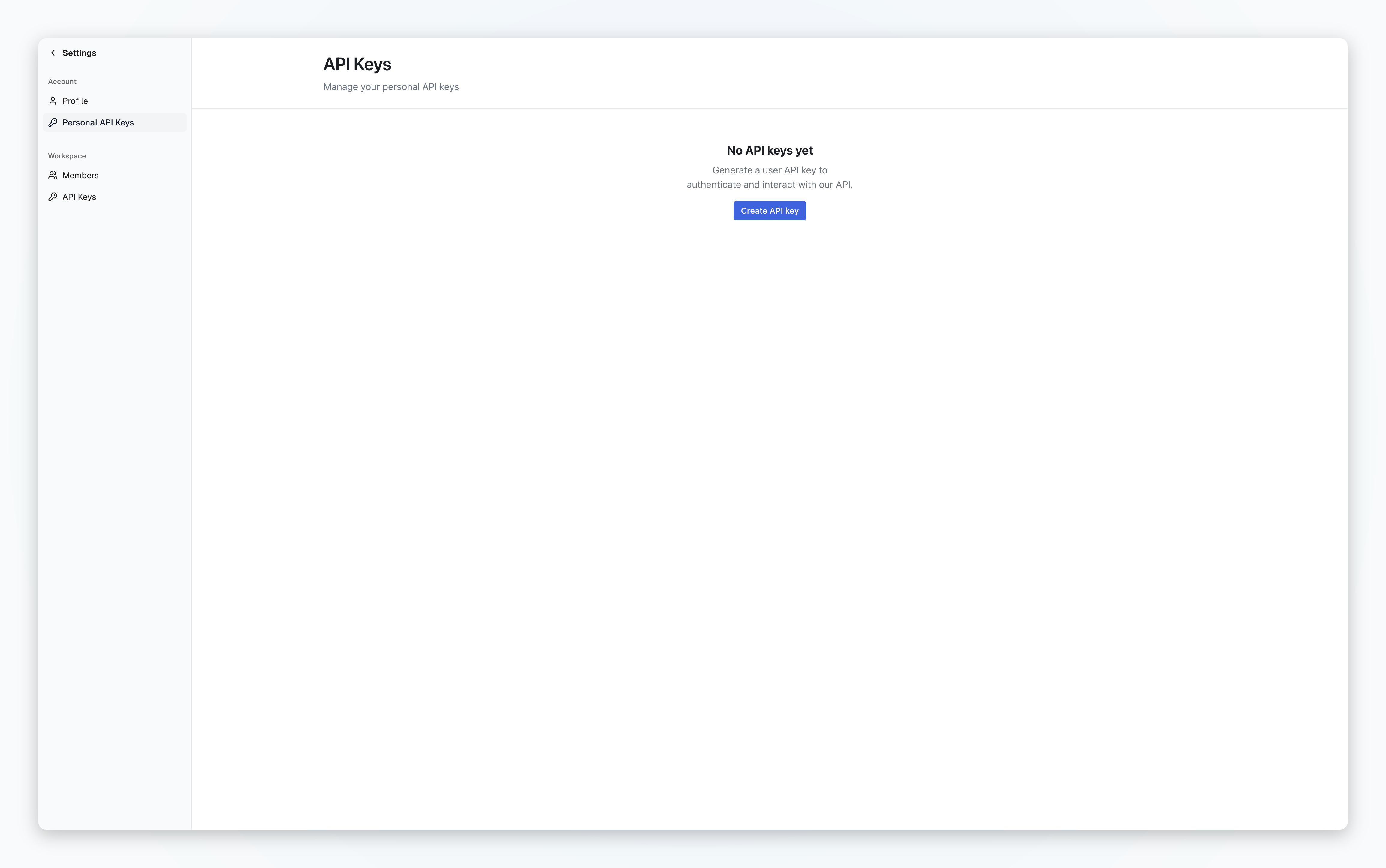
An API key lets you connect third-party systems such as Power BI, Grafana, or SAP to the ENLYZE Manufacturing Data Platform, or write your own scripts against the [ENLYZE API](https://app.enlyze.com/api/v2/redoc). You manage API keys yourself in your **ENLYZE Platform settings** at [app.enlyze.com/settings](https://app.enlyze.com/settings).
Personal API Keys list in the ENLYZE settings
## Personal and Organization API keys
ENLYZE distinguishes two kinds of API keys.
**Personal API Keys** belong to you. You find them under [**Settings → Account → Personal API Keys**](https://app.enlyze.com/platform/settings/personal-api-keys). When you leave the organization, all your personal API keys are automatically revoked.
**Organization API Keys** belong to the organization. Only users with the `admin` role have access and can manage *Organization API Keys*. If you are a user with the role `admin` you find them under [**Settings → Workspace → API Keys**](https://app.enlyze.com/platform/settings/api-keys).
### Which key type should I use?
| Use case | Recommended key |
| -------------------------------------- | --------------- |
| Grafana | Organization |
| Script or notebook on your own machine | Personal |
| Production SAP integration | Organization |
| Shared Power BI reports for a team | Organization |
| Server-to-server integration | Organization |
{% hint style="warning" %}
Every API key grants full access to all data in your organization. There is no restriction to individual sites, machines, or data sources. Treat an API key like a password and never share it.
{% endhint %}
## Permissions
Not every role can create every key type. See [User management](/en/administration/user-management.md) for details on roles.
| Role | Personal API Key | Organization API Key |
| ------------ | ---------------- | -------------------- |
| **Admin** | ✅ | ✅ |
| **Normal** | ✅ | ❌ |
| **Operator** | ❌ | ❌ |
## Create an API key
{% stepper %}
{% step %}
### Go to the right list
* For a Personal API Key: [**Settings → Account → Personal API Keys**](https://app.enlyze.com/platform/settings/personal-api-keys)
* For an Organization API Key: [**Settings → Workspace → API Keys**](https://app.enlyze.com/platform/settings/api-keys)
{% endstep %}
{% step %}
### Click Create API key
Click **Create API key**.
{% endstep %}
{% step %}
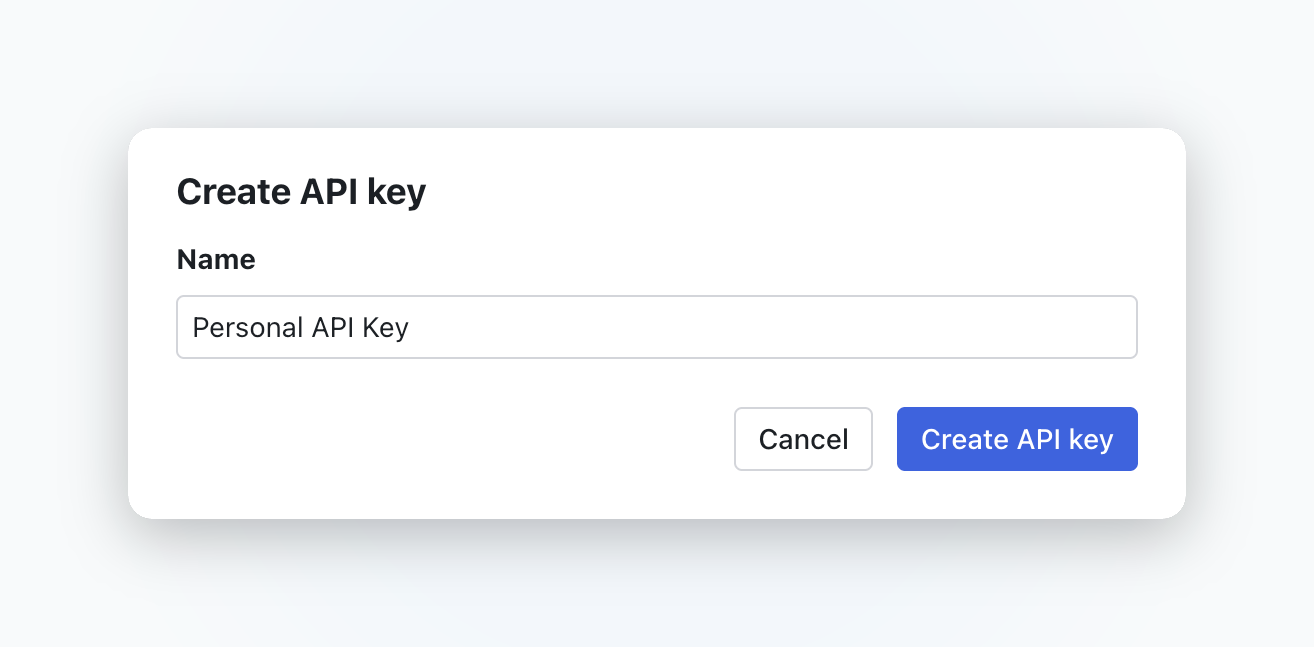
### Give the key a descriptive name
In the **Name** field, enter a name that describes the intended use, for example `Power BI – Sales` or `SAP IS – Production tenant`.
Then click **Create API key** again.
Give the key a descriptive name before creating it
{% endstep %}
{% step %}
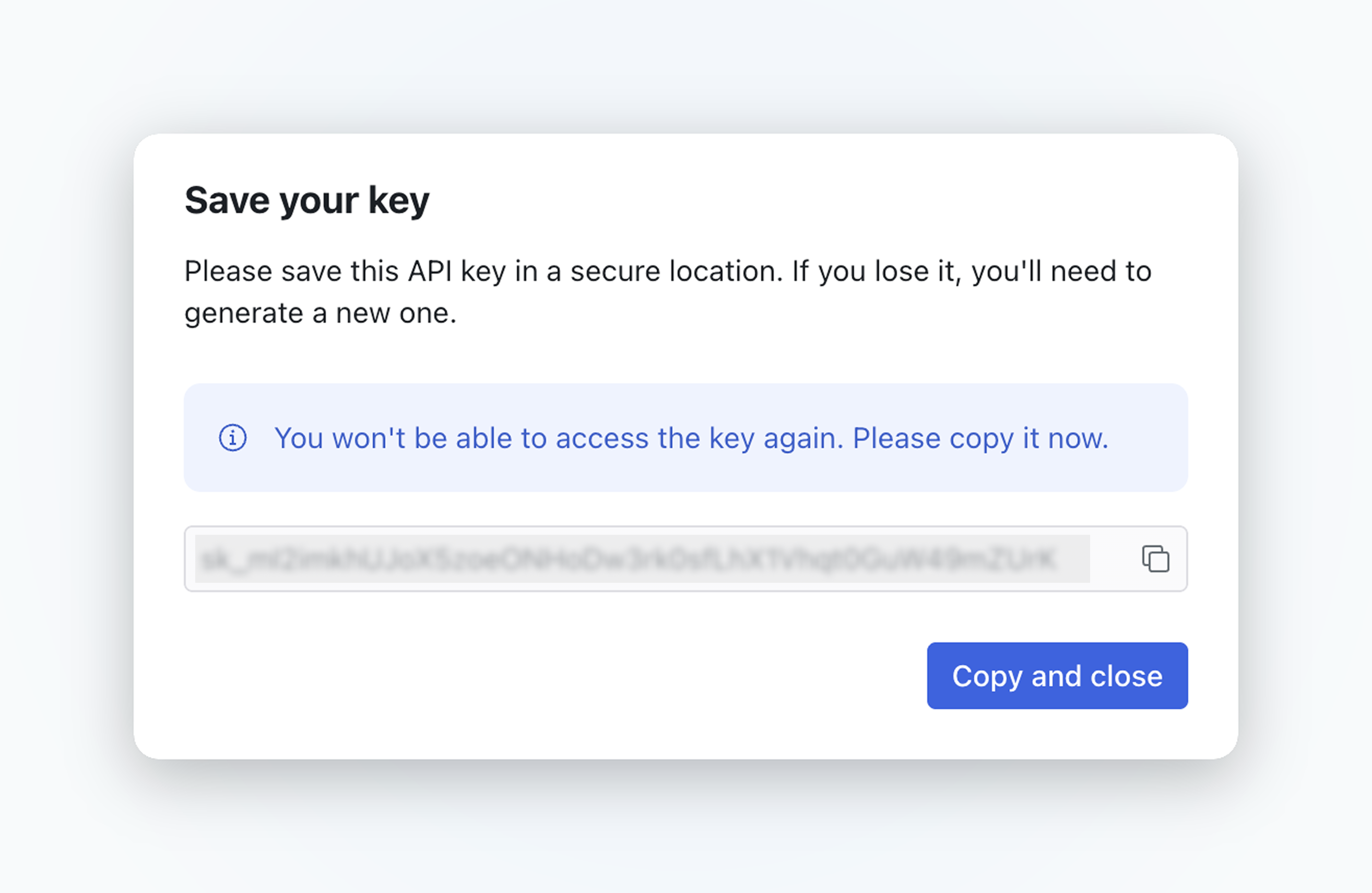
### Copy the key once
The key has the format `sk_...` and is shown in plain text only once in the **Save your key** dialog. Click the copy icon and store the key in your password manager immediately.
Then click **Copy and close**.
The key is shown only once
{% endstep %}
{% endstepper %}
{% hint style="danger" %}
The key is shown only once. If you lose it, it cannot be recovered. Create a new key and revoke the old one instead.
{% endhint %}
## View API keys
The list shows the following columns:
| Column | Description |
| -------------- | -------------------------------------- |
| **Name** | The name you gave the key |
| **Secret key** | Masked excerpt, for example `sk_…5G08` |
| **Last used** | Time of last use, or `Never` |
| **Created** | Creation date |
Under **Account → Personal API Keys** you see only your own keys. Under **Workspace → API Keys**, admins see all organization API keys.
## Revoke an API key
A revoked key cannot be reactivated. Any integration using it will fail with `401 Unauthorized` afterwards.
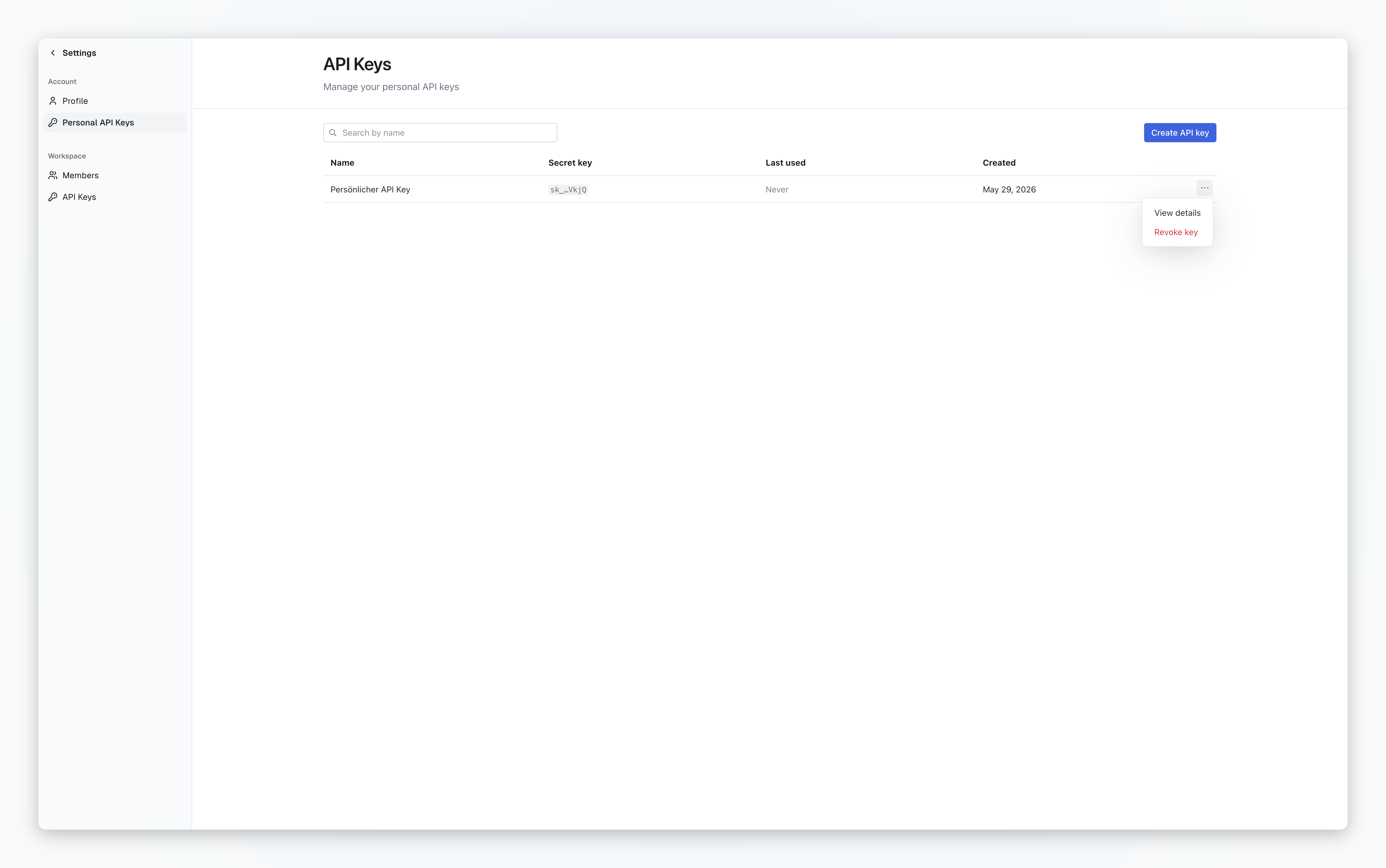
1. Open the relevant list (**Account → Personal API Keys** or **Workspace → API Keys**).
2. In the row of the key, click the **three-dot menu**.
3. Click **Revoke key**.
Revoke a key via the three-dot menu
When a user is removed from the organization, their personal API keys are revoked automatically. Organization API keys they created remain active. As an admin, check the workspace list regularly and revoke any keys that are no longer needed.
## Rotate an API key
API keys need to be rotated manually. Follow these four steps:
1. Create a new API key with a descriptive name.
2. Switch the affected integration over to the new key.
3. After one or two days, check the **Last used** column to confirm the old key is no longer in use.
4. Revoke the old key.
Rotate organization API keys regularly, at least once a year or as soon as you suspect compromise.
## Use an API key
Pass the API key in the HTTP `Authorization` header using the `Bearer` scheme:
```
Authorization: Bearer sk_...
```
The full endpoint documentation lives at [app.enlyze.com/api/v2/redoc](https://app.enlyze.com/api/v2/redoc).
The integration guides describe where to enter the key:
* [Installing the ENLYZE Power BI Integration](/en/integrations/power-bi/installing-the-enlyze-power-bi-integration.md)
* [ENLYZE data source](/en/integrations/grafana/enlyze-data-source.md)
* [SAP Integration Suite - Open Connectors Setup & Testing](/en/integrations/sap/sap-integration-suite-open-connectors-setup-and-testing.md)
## FAQ
Can I recover a lost API key?
No. For security reasons the key is shown in plain text only once, at creation. Create a new key and revoke the lost one.
What happens to my keys if I am removed from the organization?
All your personal API keys are revoked automatically. Organization API keys you created remain active and must be reviewed by an admin.
Why am I getting 401 Unauthorized?
Possible causes:
* The key was revoked, or your user account was removed.
* The `Bearer` prefix or a space in the header is missing.
* The key was truncated when copied.
Verify the key by sending a simple request to `https://app.enlyze.com/api/v2/sites`.
Can I restrict an API key to individual machines or sites?
No. Every API key reads all data in your organization. If you need to segment access, use the permission model of the consuming application, for example dashboard permissions in Grafana.
What is the difference between a Personal and an Organization API Key?
Both keys grant the same access. The difference is the lifecycle: personal keys are revoked automatically when the creator leaves the organization. Organization keys remain active and are intended for integrations that need to survive personnel changes.