> For the complete documentation index, see [llms.txt](https://docs.enlyze.com/llms.txt). Markdown versions of documentation pages are available by appending `.md` to page URLs; this page is available as [Markdown](https://docs.enlyze.com/en/administration/manage-profile.md).
# Manage profile
Manage your personal information, change your password, and set your preferred language.
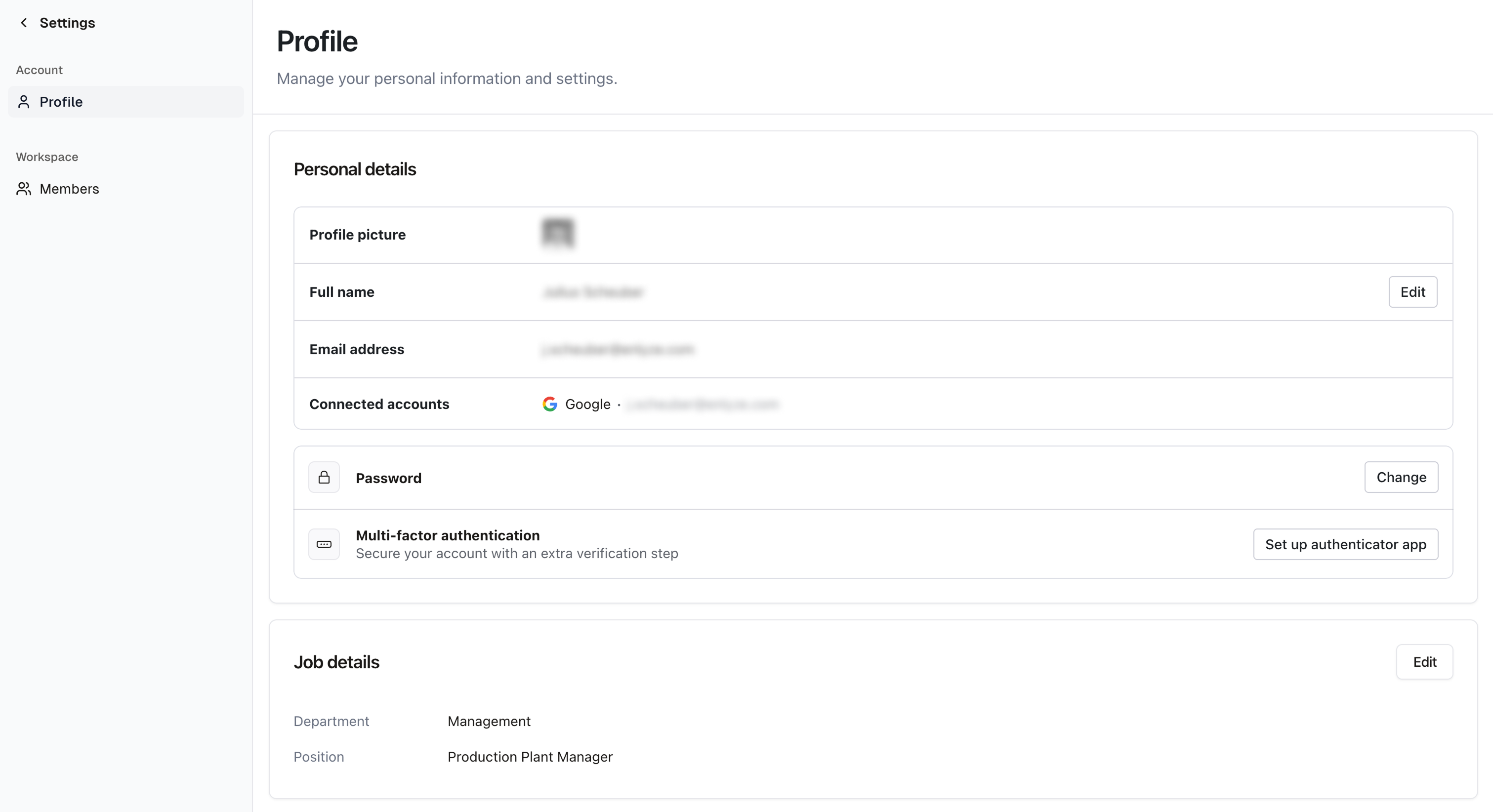
Your profile can be found at [Settings > User](https://app.enlyze.com/platform/settings/user). This is where you update personal information and select your preferred language for the ENLYZE interface.
Profile page in the ENLYZE settings
## Profile picture
Currently, profile pictures are only imported when you sign in with a social login (Microsoft or Google). The picture from your social account is automatically used in ENLYZE. Manually uploading a profile picture is not supported yet.
## Change your name
1. Go to [Settings > User](https://app.enlyze.com/platform/settings/user)
2. Click **Edit** in the **Full Name** field
3. Enter your new first and last name and click **Save**
## Change your password
1. Go to [Settings > User](https://app.enlyze.com/platform/settings/user)
2. Click **Edit** in the **Password** field
3. Enter your new password and click **Save**
## Change your job details
1. Go to [Settings > User](https://app.enlyze.com/platform/settings/user)
2. Click **Edit** in the **Job details** field
3. Update your job details and click **Save changes**
## Change language
ENLYZE supports multiple languages. Your language setting only applies to your own account and does not affect other users.
1. Go to [Settings > User](https://app.enlyze.com/platform/settings/user)
2. Click **Edit** in the **Language** field
3. Select your preferred language and click **Save changes**
{% hint style="info" %}
Not all parts of the interface are available in every language. English is used as a fallback.
{% endhint %}
### Supported languages
| Language |
| ------------------ |
| English :flag\_us: |
| German :flag\_de: |
| Polish :flag\_pl: |
{% hint style="info" %}
If your organization needs a different language, contact .
{% endhint %}
Documentation is only available in English and German.