> For the complete documentation index, see [llms.txt](https://docs.enlyze.com/llms.txt). Markdown versions of documentation pages are available by appending `.md` to page URLs; this page is available as [Markdown](https://docs.enlyze.com/en/connect/edge-device/enlyze-edge/configuring-the-network.md).
# Configuring the Network
Configure network settings on the Edge Device.
In ENLYZE EDGE, you can configure the network settings for each available interface individually. The system supports various interfaces with different purposes, which you can set up depending on your network requirements.
{% hint style="warning" %}
Incorrect network settings can cause loss of access to the ENLYZE EDGE. Ensure that all entered data is accurate!
{% endhint %}
### Available Network Interfaces
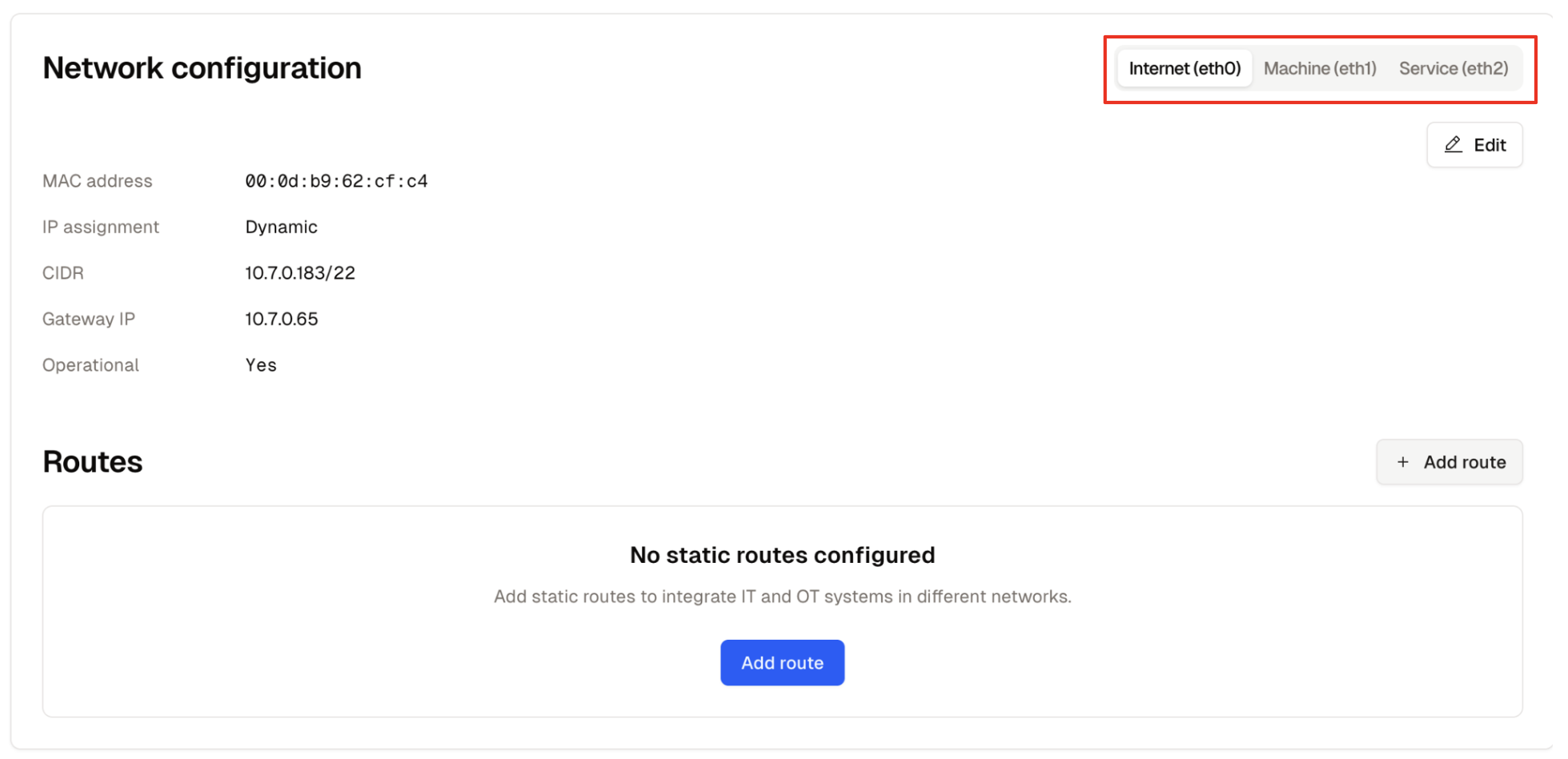
The ENLYZE EDGE device features multiple network interfaces, selectable via tabs at the top of the page:
* **Internet (eth0)** – For connecting to the Internet
* **Machine (eth1)** – For connecting to the OT network
* **Service (eth2)** – For service access
* **Wi-Fi (wlan0)** – An alternative method for Internet connectivity
### Accessing the Network Configuration of an Interface
Static routes are configured via the network configuration view of the respective interface. To do this, navigate to the “Interfaces” page in the ENLYZE EDGE web interface and select the interface for which you want to set up a static route – in the following example, `Internet (eth0)`.
### Access Configuration Interface
Click the “Edit” button at the top right under the network interface tabs to access the configuration interface for the selected interface.
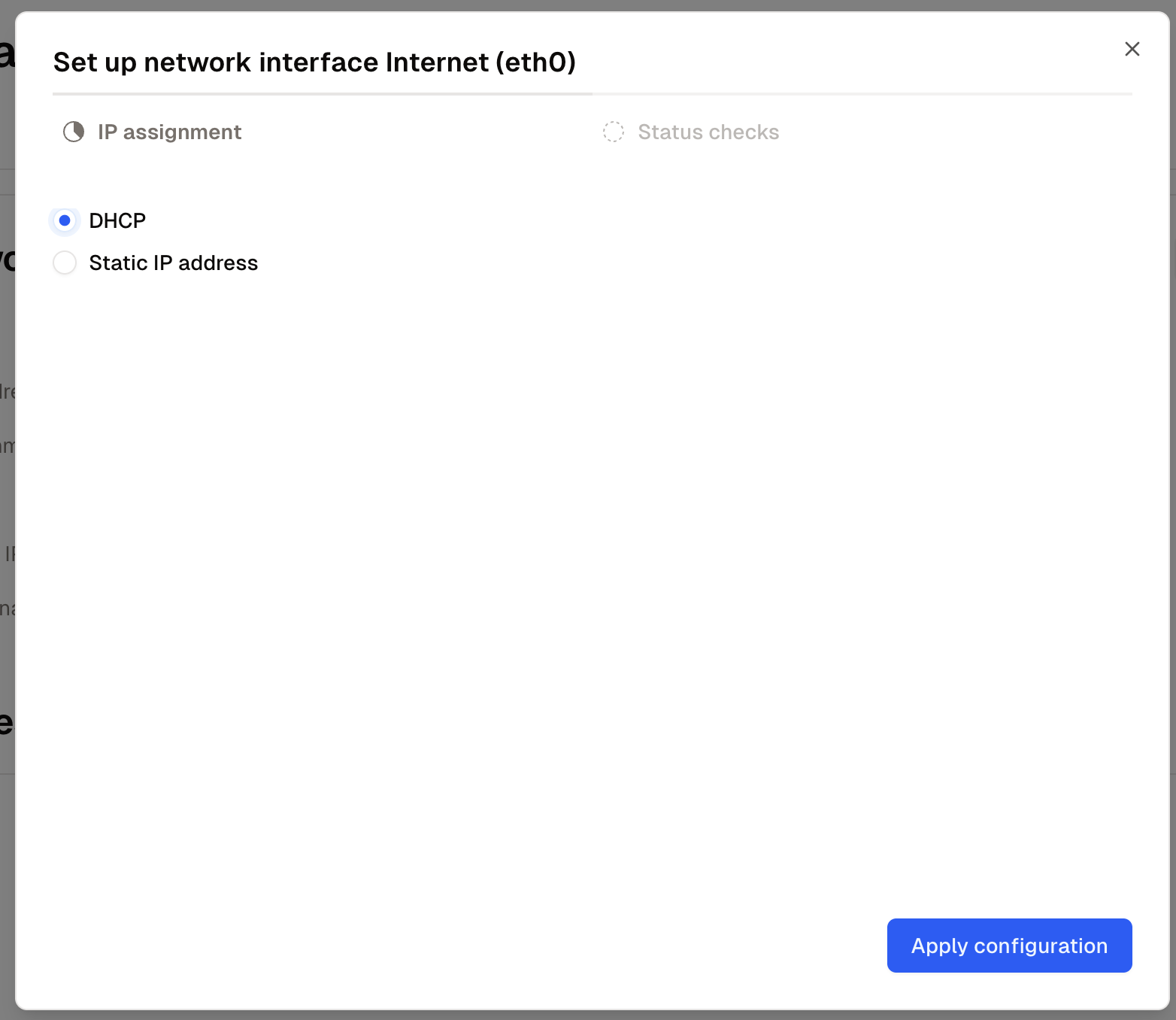
IP Assignment via DHCP
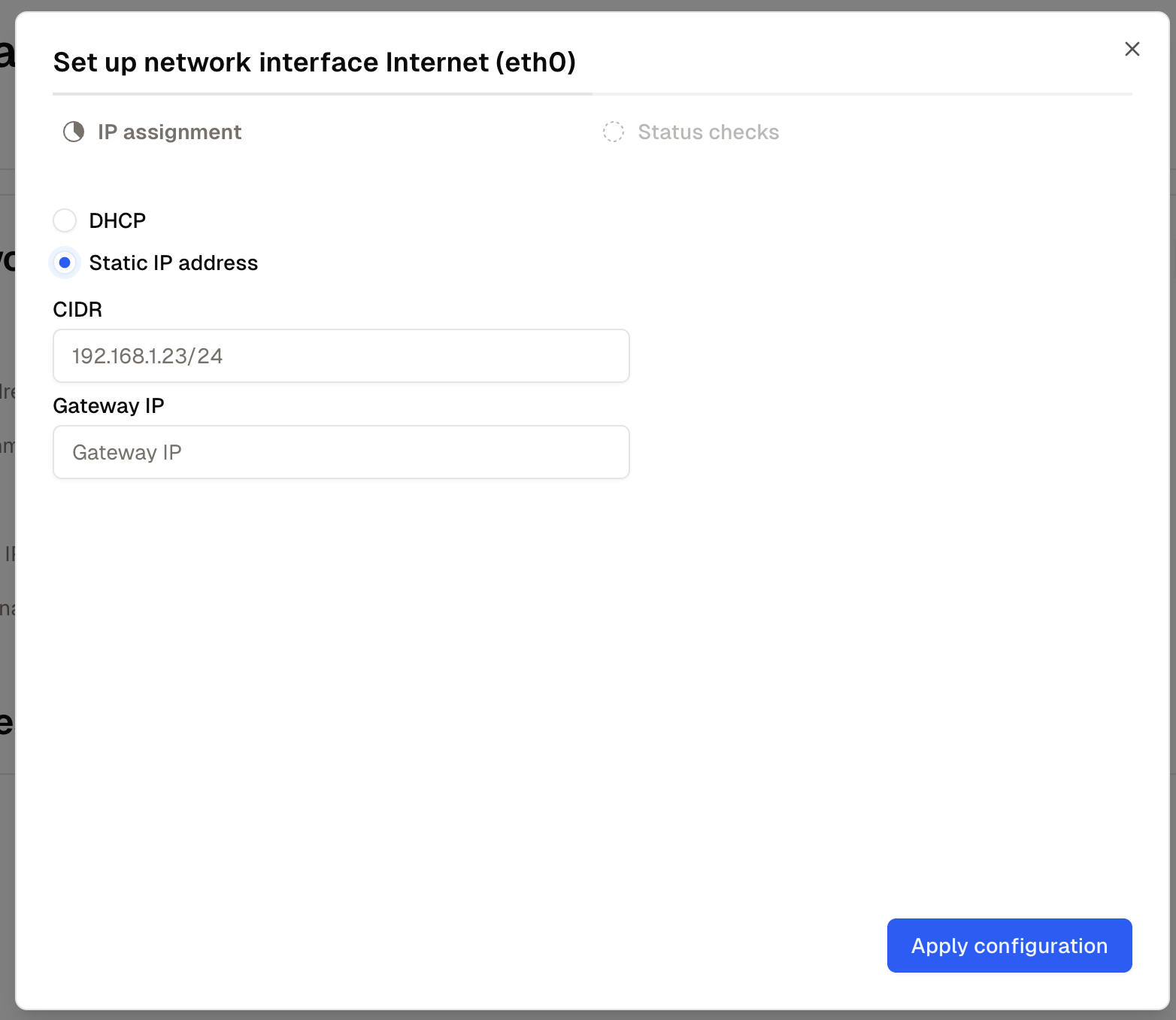
Static IP Assignment
### Set IP Assignment
In the configuration interface for each network, you have two standard options for IP assignment:
**Option 1: DHCP**
* Select the **"DHCP"** radio button.
**Option 2: Static IP Address**
* Select the **"Static IP Address"** radio button.
* Enter the following information:
* **CIDR**: The IP address in CIDR format (e.g., `192.168.1.23/24`)
* **Gateway IP**: The IP address of the network gateway
Click **"Apply"** to save the settings and automatically run a connection test. This test ensures that the Edge Device can reach the ENLYZE Manufacturing Data Platform and is therefore fully operational.
### Troubleshooting
If you encounter problems with route configuration, our Troubleshooting Guide can help.
{% content-ref url="/pages/4vaffYWNT8upopEYe7SM" %}
[Troubleshooting](/en/connect/edge-device/enlyze-edge/troubleshooting.md)
{% endcontent-ref %}