> For the complete documentation index, see [llms.txt](https://docs.enlyze.com/llms.txt). Markdown versions of documentation pages are available by appending `.md` to page URLs; this page is available as [Markdown](https://docs.enlyze.com/en/connect/edge-device/enlyze-edge/managing-routes.md).
# Managing Routes
Manage existing network routes on the Edge Device.
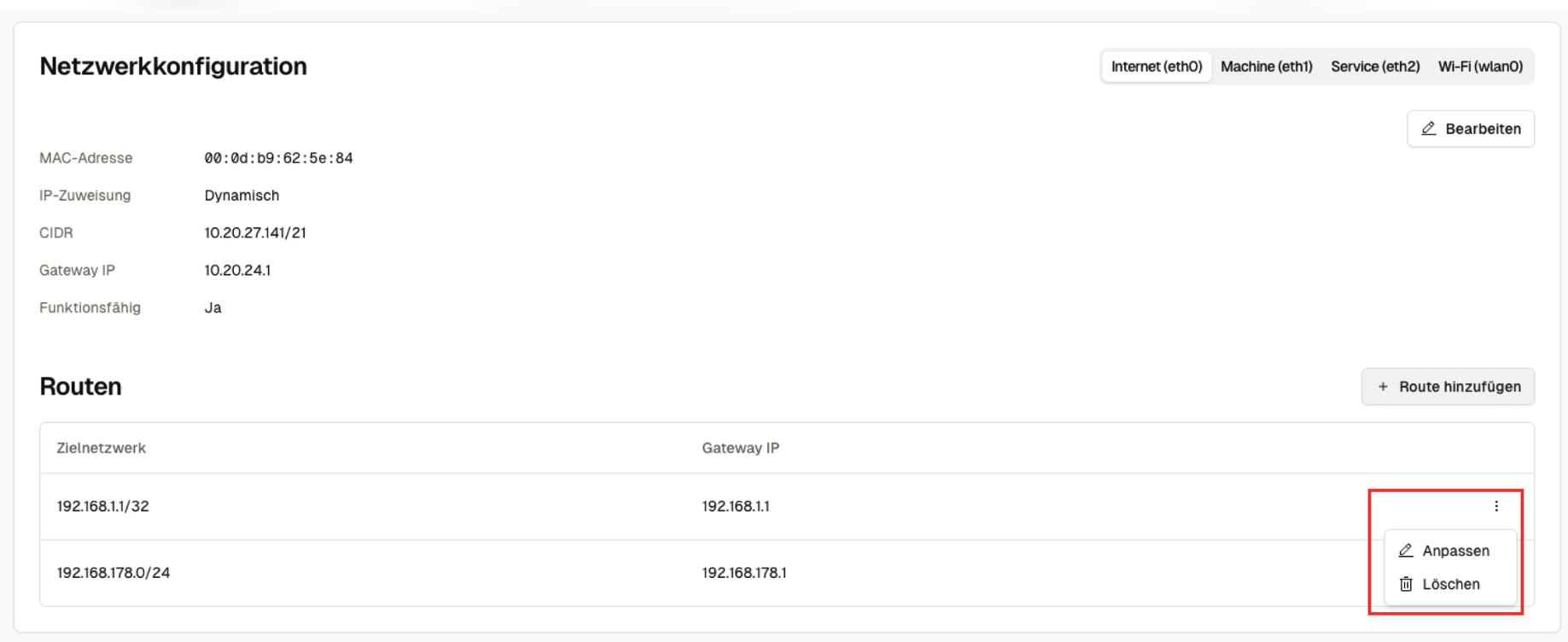
The following section explains how to manage configured routes in ENLYZE EDGE. Each route provides the following actions:
* Edit
* Delete
{% hint style="warning" %}
Editing or deleting static routes can potentially lock you out of ENLYZE EDGE if the configuration is incorrect. Always ensure that the network details you enter are accurate before saving any changes.
{% endhint %}
## Prerequisites
* Access and login credentials for ENLYZE EDGE
* If making changes, you need to know the destination network and the appropriate gateway IP.\
Ensure the destination network is outside the `10.21.0.0/16` range.
## Access the Network Configuration
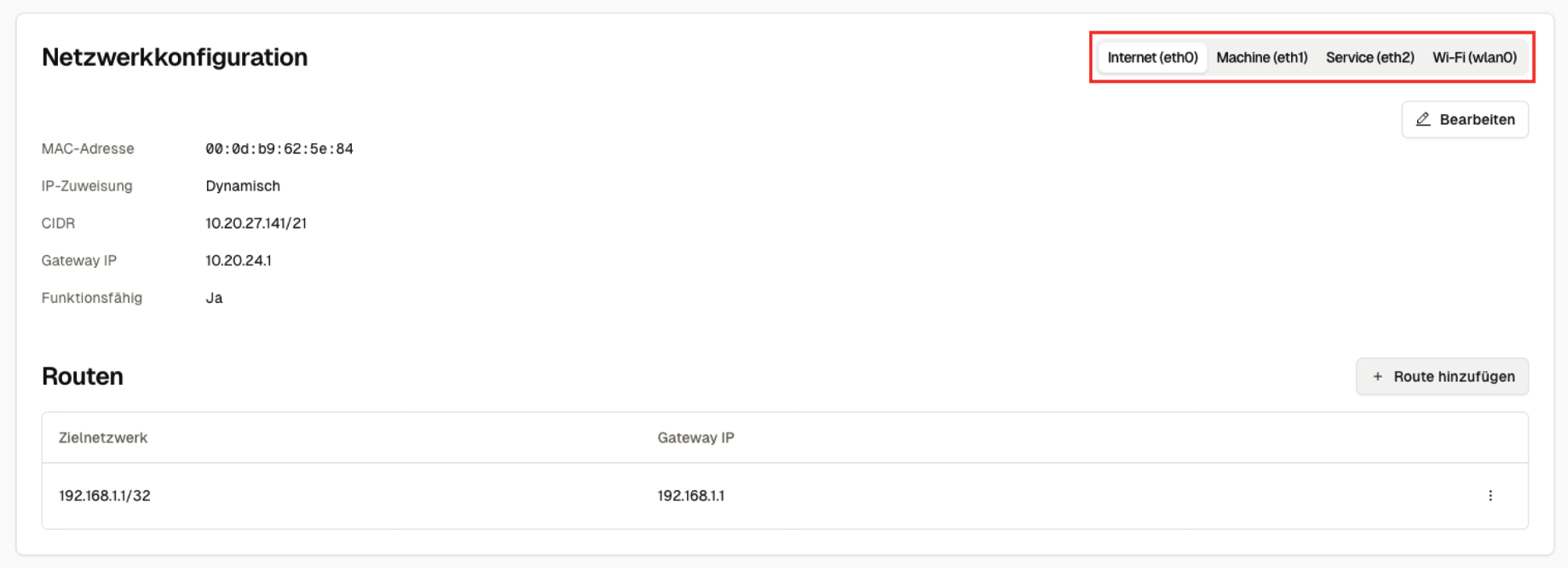
As with setting up routes, managing them is done via the network configuration view. Navigate to the “Interfaces” page in the ENLYZE EDGE web interface and select the interface where you want to edit or delete a route.
## Open the Management Menu
Click the three-dot overflow menu of the selected route and choose one of the two available actions: “Edit” or “Delete”.
## Troubleshooting
If you encounter problems with route configuration, our Troubleshooting Guide can help.
{% content-ref url="/pages/4vaffYWNT8upopEYe7SM" %}
[Troubleshooting](/en/connect/edge-device/enlyze-edge/troubleshooting.md)
{% endcontent-ref %}