> For the complete documentation index, see [llms.txt](https://docs.enlyze.com/llms.txt). Markdown versions of documentation pages are available by appending `.md` to page URLs; this page is available as [Markdown](https://docs.enlyze.com/en/integrations/grafana/getting-started/01-introduction.md).
# 01 Introduction
Introduction to Grafana and the ENLYZE data sources.
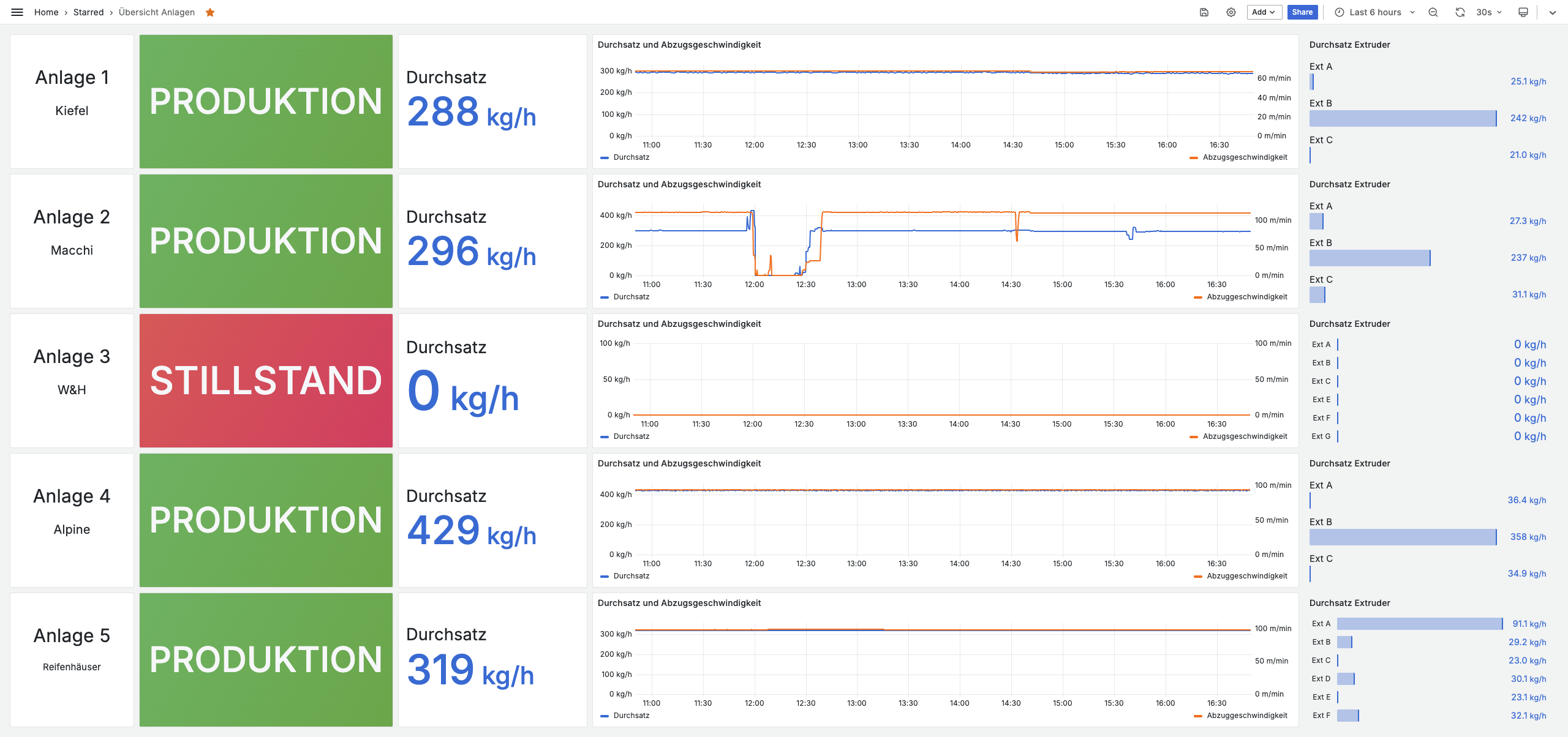
Grafana is an open-source platform for visualizing and analyzing data. With ENLYZE and Grafana, you create custom dashboards that display your production data in real time:
## What you will learn
* What Grafana is and why it is useful for manufacturing
* The difference between the two available data sources
* How to navigate the Grafana interface
## Prerequisites
* Access to your ENLYZE Grafana instance
* A web browser (Chrome, Firefox, or Edge recommended)
***
## Why Grafana in manufacturing?
| Benefit | Description |
| ------------------------ | -------------------------------------------------------- |
| **Real-time monitoring** | See what is happening on your production lines right now |
| **Custom dashboards** | Build exactly the views you need |
| **Historical analysis** | Look back at past data to identify trends |
| **Alerting** | Get notified when something needs attention |
Typical use cases: shopfloor displays, shift handover dashboards, management KPI reports, maintenance monitoring, and quality control.
***
## ENLYZE and Grafana
ENLYZE provides a hosted Grafana instance that is already connected to your production data. The data flow: ENLYZE Edge Devices collect machine data, the ENLYZE platform stores and processes it, and Grafana visualizes it in dashboards.
***
## Two ways to access your data
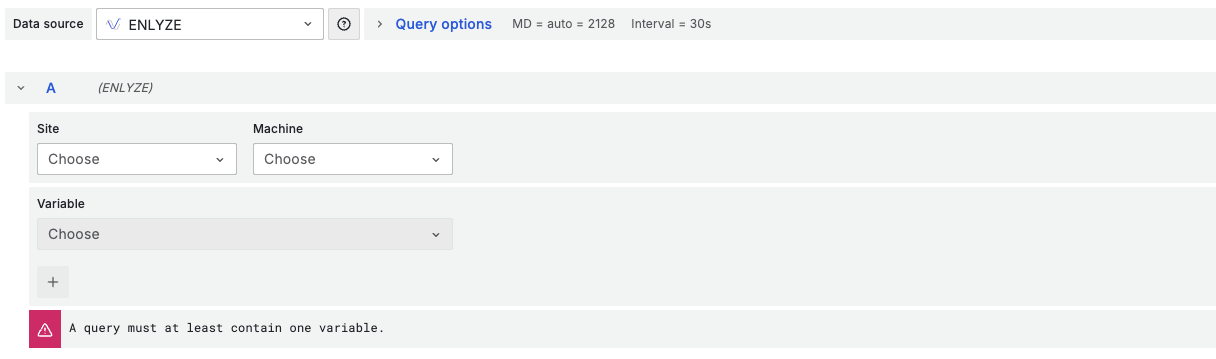
### The ENLYZE data source (simple)
Point-and-click interface: select site, machine, and variables. Ideal for getting started and simple time series visualizations.
**Limitations:** No alerting, limited data transformations, no dashboard variables.
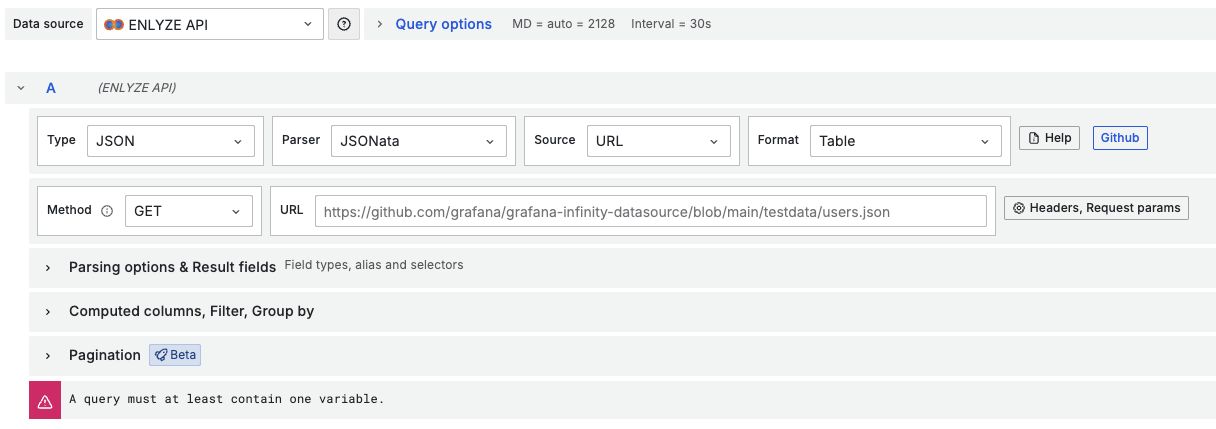
### The ENLYZE API data source (advanced)
Connects directly to the ENLYZE API (Infinity Plugin). Enables OEE dashboards, dropdown filters, alerting, and complex transformations. Requires an understanding of API concepts and JSONPath.
### Which data source to use?
| If you want to... | Data source |
| ------------------------------------------ | -------------- |
| Quickly create a simple dashboard | **ENLYZE** |
| Build OEE/productivity dashboards | **ENLYZE API** |
| Add dropdown filters for machine selection | **ENLYZE API** |
| Set up alerting | **ENLYZE API** |
Recommendation: start with the ENLYZE data source. Switch to the ENLYZE API when you need the advanced features.
***
## Navigating Grafana
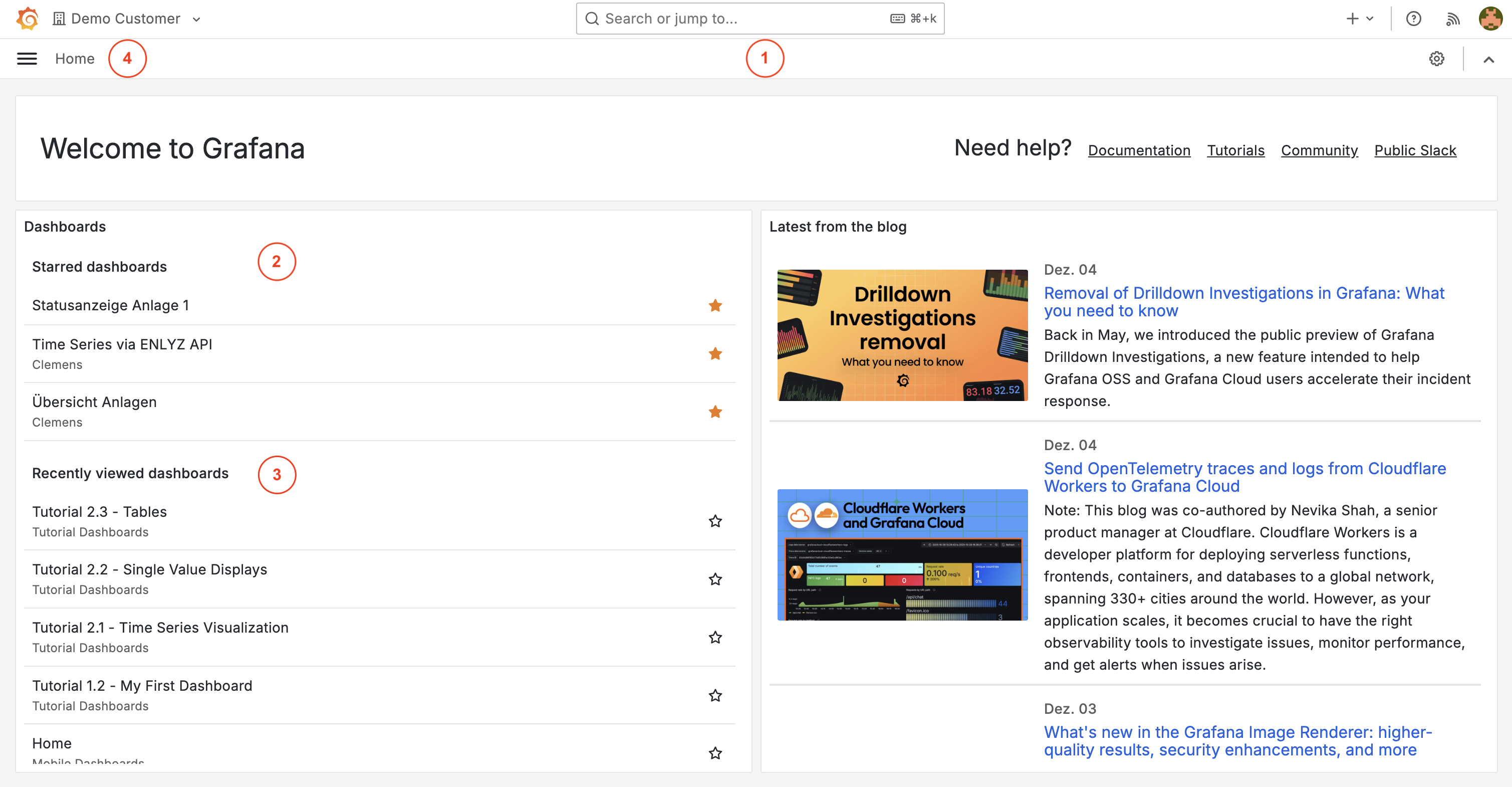
### The home screen
1. **Search bar** - Find dashboards by name
2. **Starred dashboards** - Quick access to your favorites
3. **Recent dashboards** - Dashboards you viewed recently
4. **Navigation menu** - Access all Grafana features (left sidebar)
The side menu provides quick access to dashboards, Explore, Alerting, and settings.
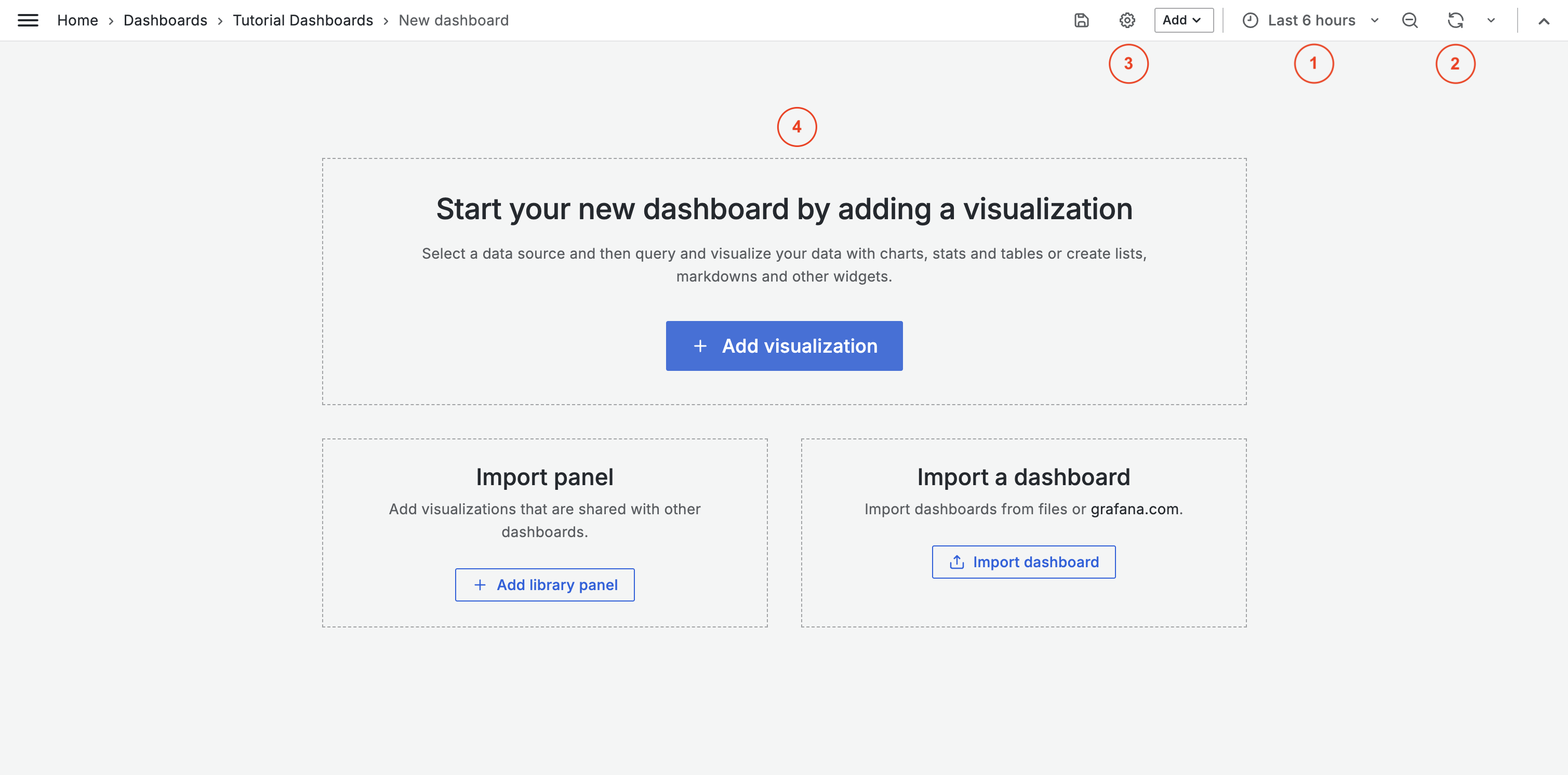
### Inside a dashboard
1. **Time range selector** - Choose the time period to display (e.g. Last 1 hour, Last 24 hours)
2. **Refresh button** - Update data manually or set auto-refresh
3. **Dashboard settings** (gear icon) - Configure options
4. **Panels** - Individual visualizations (charts, tables, gauges)
{% hint style="info" %}
For live monitoring, use a short time range like "Last 1 hour" with auto-refresh enabled.
{% endhint %}
***
## Key terms
| Term | Definition |
| --------------- | ------------------------------------------------------------------ |
| **Dashboard** | A collection of panels that display related information |
| **Panel** | A single visualization (chart, table, stat) |
| **Query** | The instruction that tells Grafana what data to fetch |
| **Data source** | The connection to where your data is stored (ENLYZE or ENLYZE API) |
| **Time range** | The period of time shown in your visualizations |
{% hint style="info" %}
In addition to the ENLYZE data sources, you can also connect other data sources in Grafana, for example CSV files via the Infinity Plugin. A full list of supported data sources is available in the [Grafana documentation](https://grafana.com/docs/grafana/latest/datasources/).
{% endhint %}
***
## Next steps
* [**Your first dashboard**](/en/integrations/grafana/getting-started/02-first-dashboard.md) - Create a dashboard, add panels, and save it