> For the complete documentation index, see [llms.txt](https://docs.enlyze.com/llms.txt). Markdown versions of documentation pages are available by appending `.md` to page URLs; this page is available as [Markdown](https://docs.enlyze.com/en/integrations/grafana/production-dashboards/06-downtime-reporting.md).
# 03 Downtime Reporting
Downtime reporting in Grafana with the ENLYZE API.
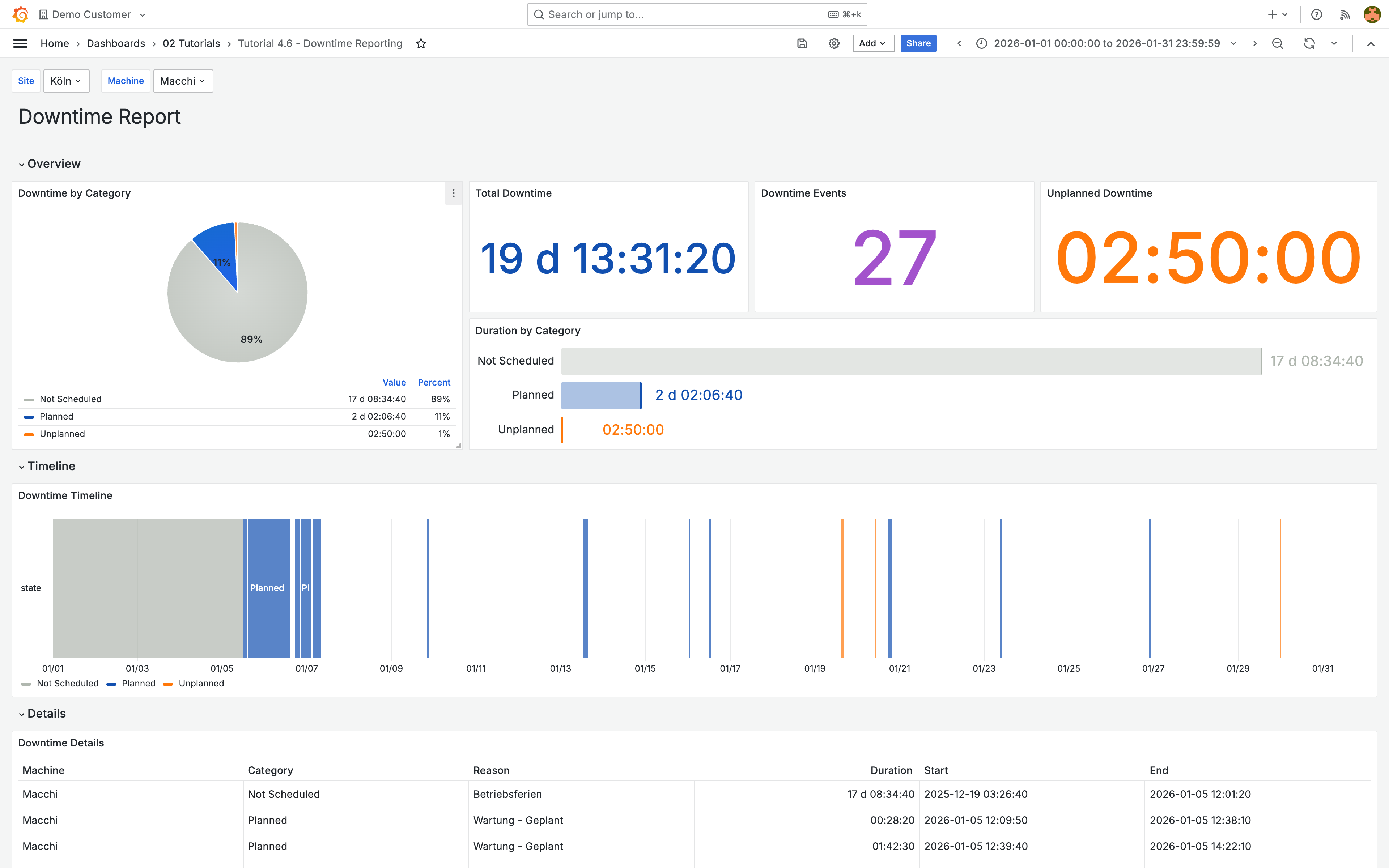
In this tutorial you build a dashboard for analyzing machine downtimes with a pie chart, timeline, and detail table:
## What you will learn
* Query the downtimes API endpoint
* Calculate downtime duration with transformations
* Visualize downtimes with pie chart, bar gauge, and state timeline
* Set up value mappings for downtime categories
## Prerequisites
* [Query the ENLYZE API](/en/integrations/grafana/advanced-api/02-api-queries.md) and [Variables](/en/integrations/grafana/advanced-api/03-variables.md) completed
* Understanding of Infinity queries and transformations
***
## Query downtimes
| Setting | Value |
| ------------- | ---------------------------------------------------------------------------- |
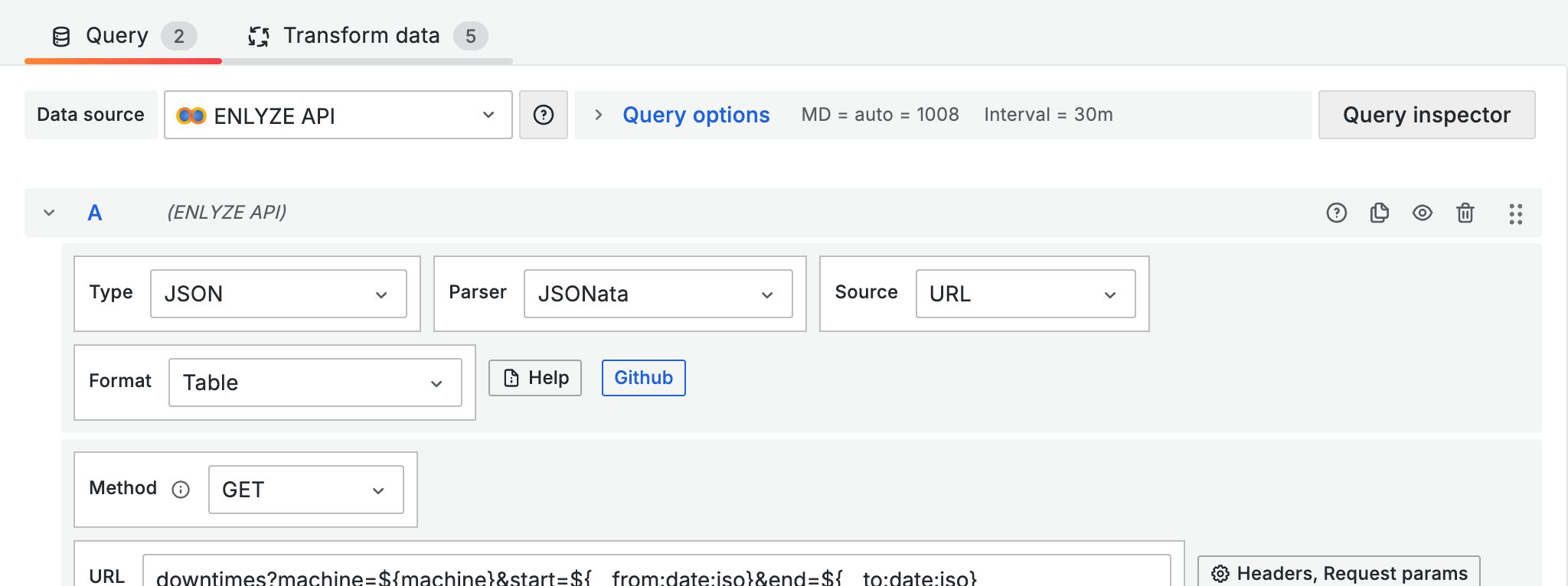
| Type | JSON |
| Parser | Backend |
| Method | GET |
| URL | `downtimes?machine=${machine}&start=${__from:date:iso}&end=${__to:date:iso}` |
| Root selector | see JSONata |
The API returns downtimes with nested reason information. Use JSONata to extract the fields and fill in missing end times:
```
$.data.{
"start": start,
"end": end ? end : $now(),
"category": reason.category ? reason.category : "UNKNOWN",
"reason": reason.name
}
```
{% hint style="info" %}
When `end` is `null`, the downtime is still active. `$now()` replaces missing end times with the current time.
{% endhint %}
***
## Calculate downtime duration
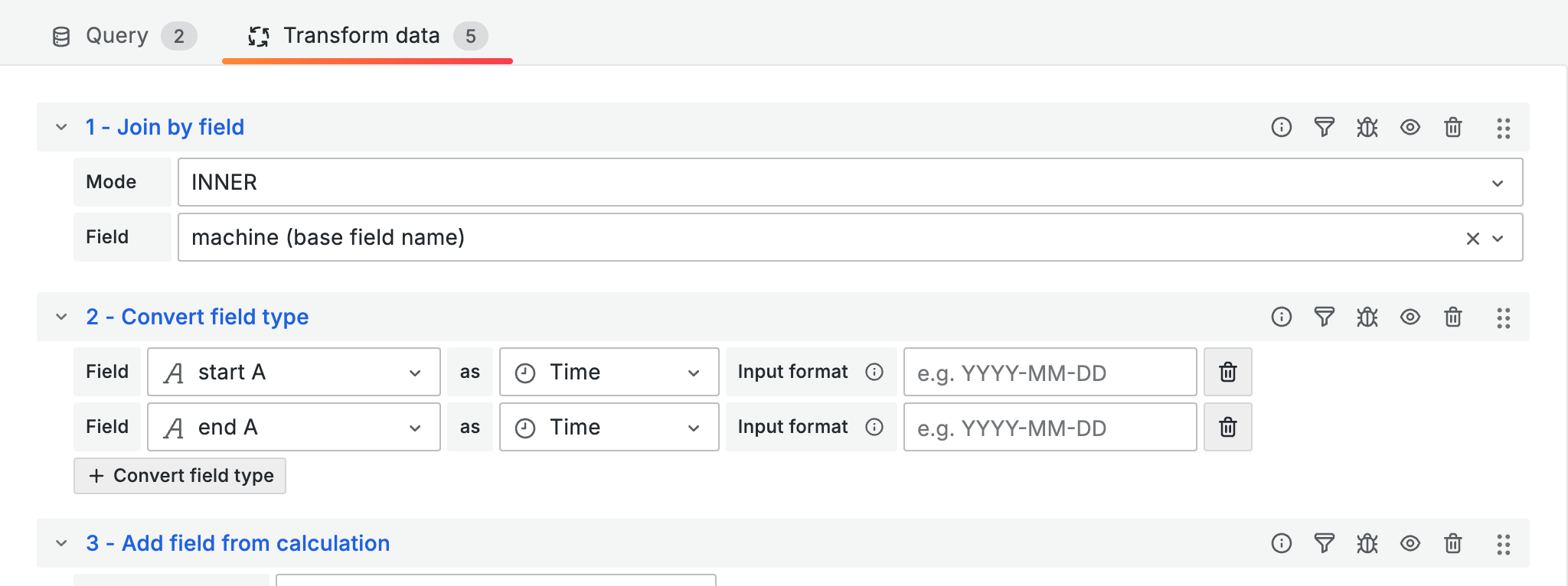
You can calculate the duration from start and end times using transformations:
1. **Convert field type**: start and end to Time
2. **Add field from calculation**: Mode Binary, end - start to `duration_ms`
3. **Add field from calculation**: duration\_ms / 1000 to `duration`
Set the unit of the `duration` field to **Duration (d hh**:flag\_mm:**ss)** (`dtdhms`).
***
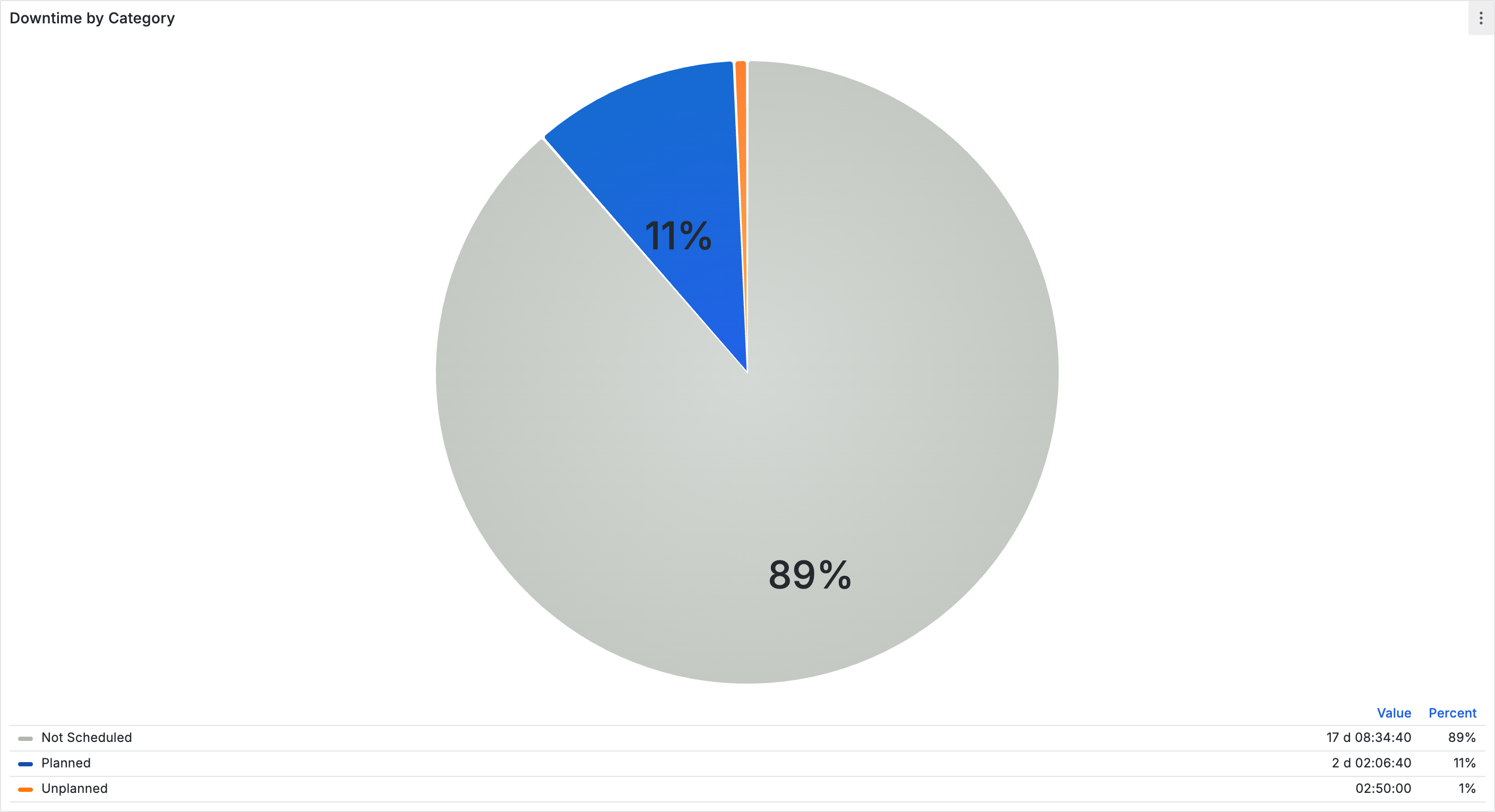
## Pie chart by category
Visualize the distribution of downtime categories:
1. Use the base query with the duration calculation transformations
2. Add a **Group by** transformation: Group by `category`, Aggregate `duration` to Sum
3. Select the **Pie Chart** visualization
Set up **Value Mappings** to make the API values more readable:
| API value | Display | Color |
| -------------- | ------------------ | ------ |
| PLANNED | Planned downtime | Blue |
| UNPLANNED | Unplanned (manual) | Orange |
| NOT\_SCHEDULED | Not scheduled | Gray |
| UNKNOWN | No reason | Yellow |
***
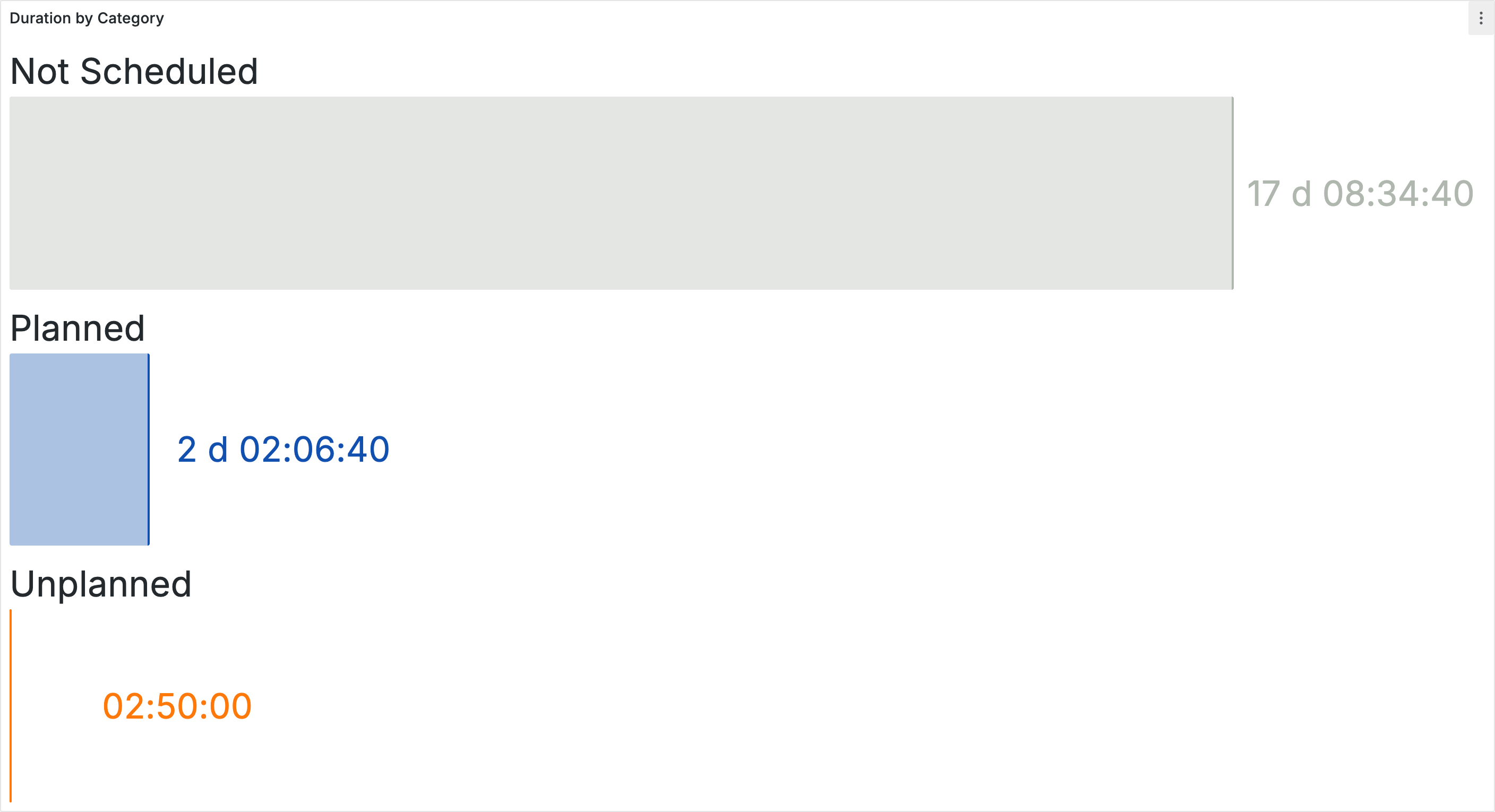
## Bar gauge by category
Show the duration per category as horizontal bars:
| Setting | Value |
| ------------- | --------------------------- |
| Visualization | Bar Gauge |
| Orientation | Horizontal |
| Display mode | Basic |
| Unit | Duration (d hh:flag\_mm:ss) |
Use the same query and transformations as the pie chart.
***
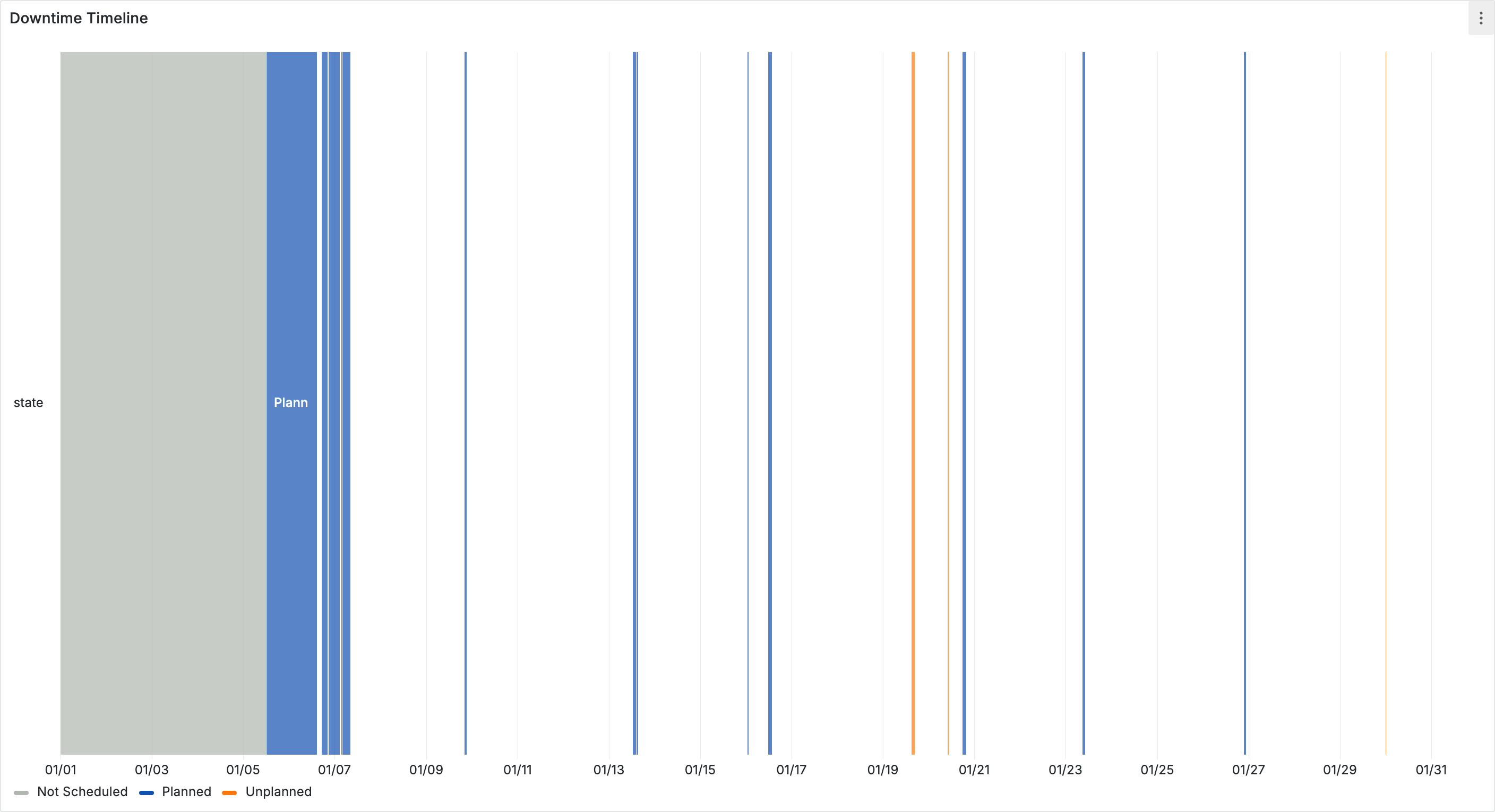
## State timeline
Show when downtimes occurred over time:
| Setting | Value |
| ------------- | -------------- |
| Visualization | State timeline |
| Merge values | On |
Use the same value mappings as the pie chart so that the categories are color-coded consistently.
***
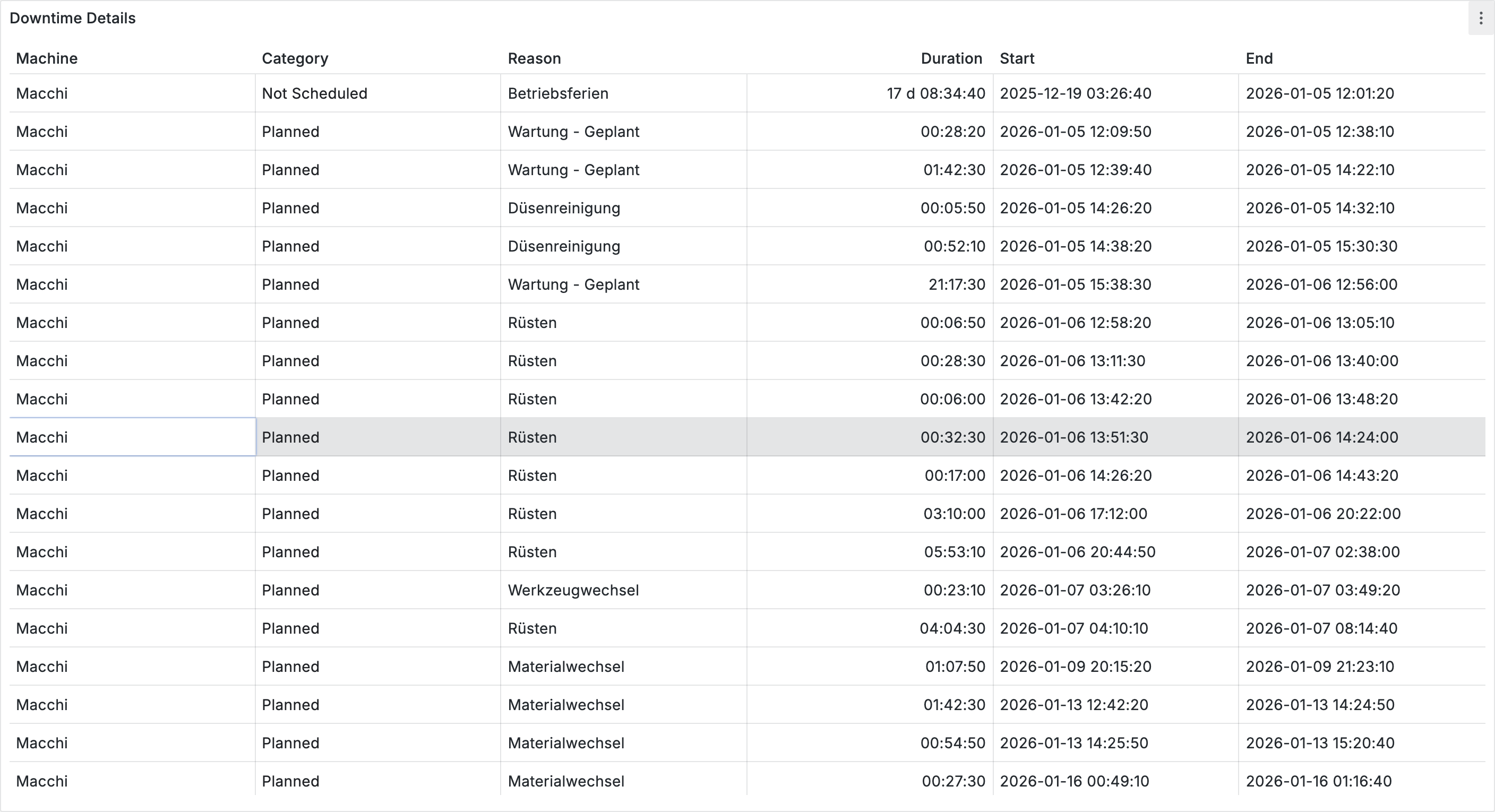
## Detail table
Show individual downtime events with all details:
| Column | Type | Notes |
| -------- | --------- | -------------- |
| start | Timestamp | dateTimeAsIso |
| end | Timestamp | dateTimeAsIso |
| duration | Number | Unit: dtdhms |
| category | String | Value Mappings |
| reason | String | - |
***
## Tips
* **Downtime categories**: `PLANNED` (scheduled maintenance, changeovers), `UNPLANNED` (manually reported), `NOT_SCHEDULED` (no production scheduled). Use consistent colors across all panels.
* **Ongoing downtimes**: Replace `null` end times with `$now()` in JSONata so that the duration calculation works.
* **Empty data**: Check the time range. Downtimes are only available for periods when the machine was active.
* **Pareto analysis**: Filter for `UNPLANNED`, group by `reason`, and sort descending by `duration` to identify the most common downtime reasons.
***
## Next steps
* [**Shopfloor monitoring**](/en/integrations/grafana/production-dashboards/01-shopfloor-monitoring.md) -- Build dashboards for large screens and mobile devices