> For the complete documentation index, see [llms.txt](https://docs.enlyze.com/llms.txt). Markdown versions of documentation pages are available by appending `.md` to page URLs; this page is available as [Markdown](https://docs.enlyze.com/en/product-updates/changelog.md).
# Changelog
A full rundown of our latest releases, improvements and bug fixes.
{% updates format="full" %}
{% update date="2026-09-04" tags="app,bug-fix" %}
## Minimum downtime length is now at least 45 seconds
Until now, the downtime configuration accepted any minimum length above 0 seconds. Values below the 10-second recording interval then kept opening new downtimes between two samples and could flood the downtime list. The form now only accepts minimum lengths of 45 seconds or more and explains why right next to the field. If a smaller value is already stored for a machine, a notice on the configuration page points this out.
{% endupdate %}
{% update date="2026-09-02" tags="edge,new-feature" %}
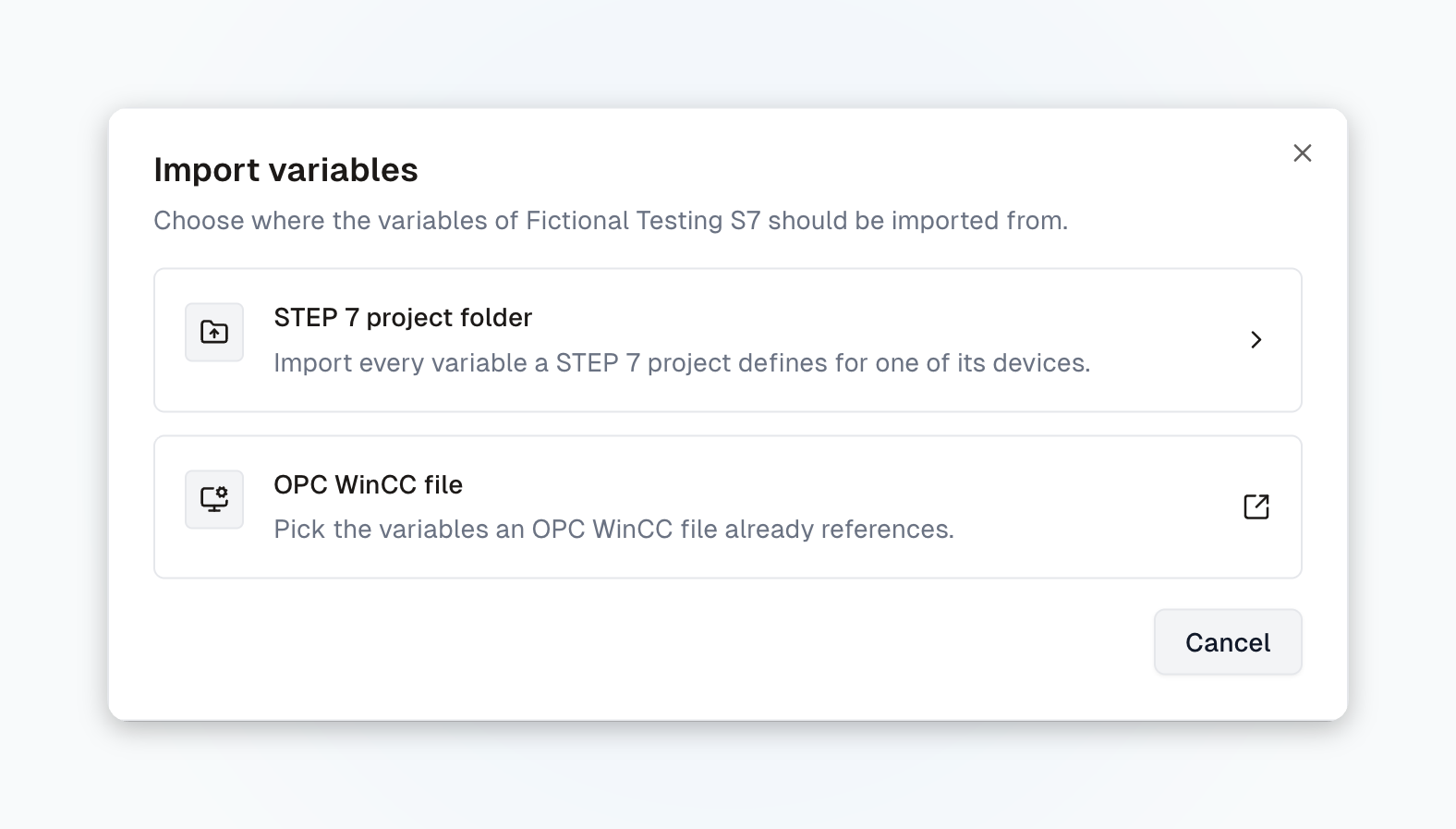
## Set up S7 Classic data sources (S7-400/S7-300) directly in the ENLYZE Platform
Until now, onboarding S7 Classic data sources was not possible because PLC tags had to be added manually. These tags can now be extracted automatically from the HMI project (.fwx/.fwc files) or from the entire Step7 project and imported into the ENLYZE Platform. This almost fully automates the most laborious manual step, and onboarding S7 Classic data sources is now a simple self-service process. More on this soon in a dedicated webinar.
{% endupdate %}
{% update date="2026-09-02" tags="app,bug-fix" %}
## Edit variable comments independently of their context
A few weeks ago we introduced the option to attach comments to variables. Unfortunately, a bug prevented comments from being added in the overview and exploration views. This bug is fixed. Comments can now be attached to variables and saved everywhere.
{% endupdate %}
{% update date="2026-08-24" tags="app,enhancement" %}
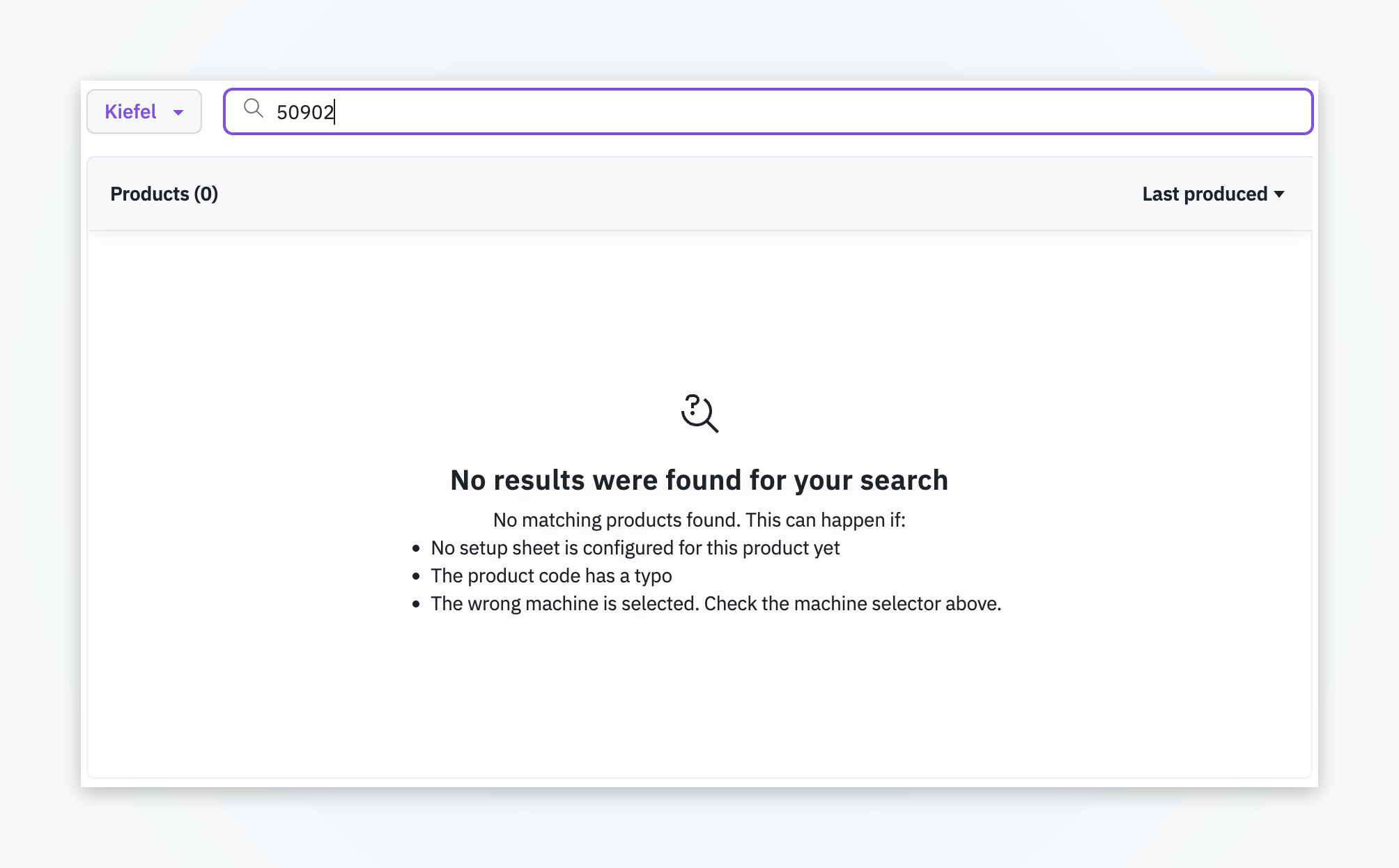
## Co-Pilot only lists products with a setup sheet
Until now, the Co-Pilot listed every product. Only a click revealed whether a setup sheet existed, which cost unnecessary clicks. Now only products with a setup sheet are listed. If the setup sheet for the product you are looking for is missing, you see that directly in the table.
{% endupdate %}
{% update date="2026-08-14" tags="edge,new-feature" %}
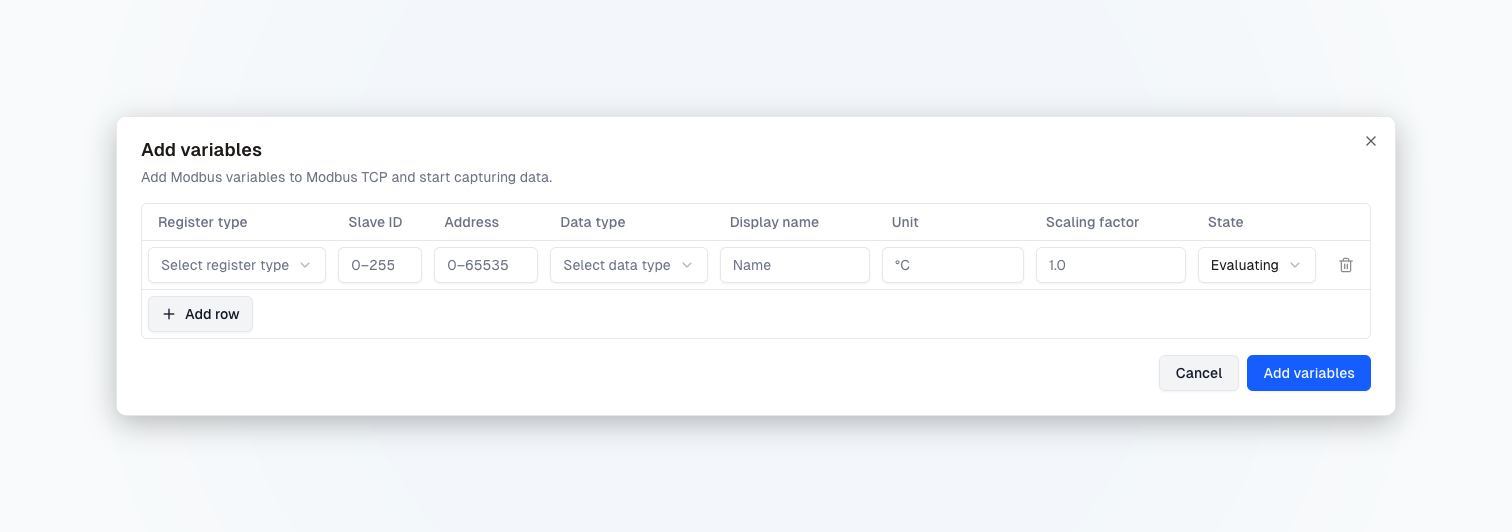
## Set up Modbus TCP data sources directly in the ENLYZE Platform
Modbus TCP data sources can now be set up entirely in the ENLYZE Platform. The data source detail page has a new variables view where you register Modbus variables with their address and data type, including custom string lengths (STRING\[n]). A dialog additionally provides a ready-made prompt for the ENLYZE MCP that lets you register variables automatically.
{% endupdate %}
{% update date="2026-08-10" tags="edge,enhancement" %}
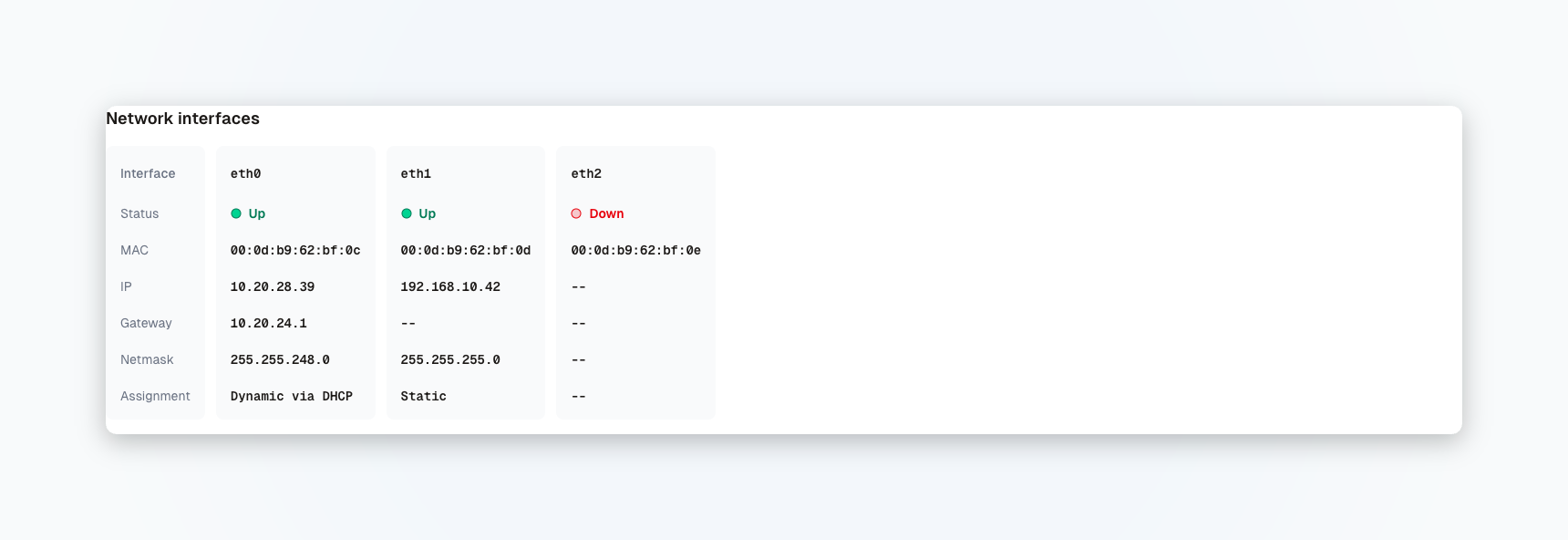
## Unified overview of network interfaces
The network interfaces of an Edge Device are now shown in a unified overview, both in ENLYZE EDGE directly on the device and in the ENLYZE Platform. You see the same network status information in both places. There is also no need to select or switch between interfaces anymore, all of them are visible at a glance.
{% endupdate %}
{% update date="2026-08-06" tags="app,bug-fix" %}
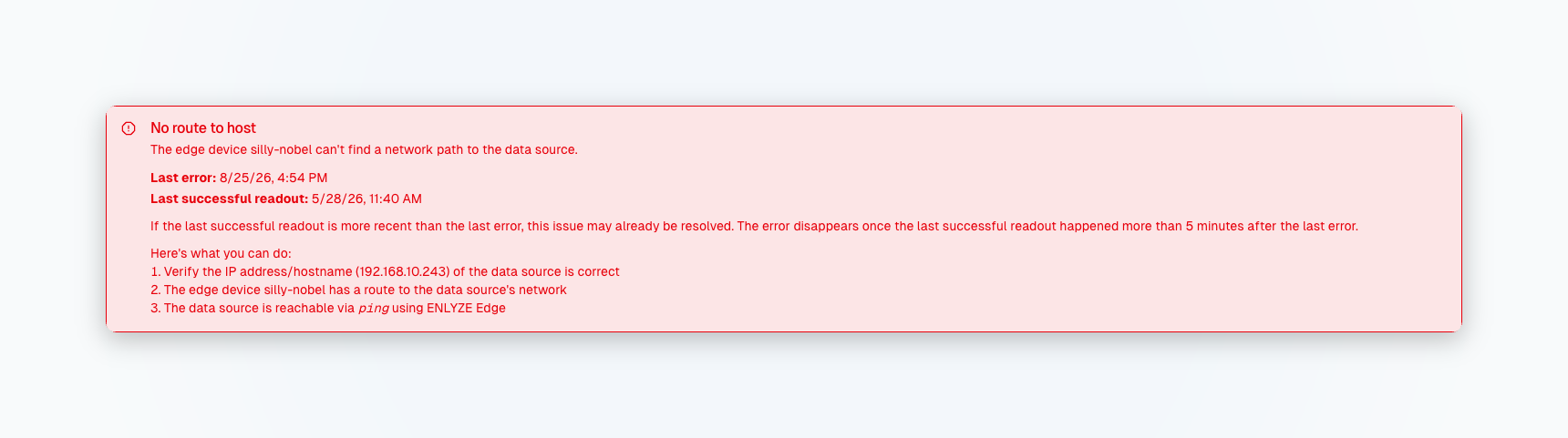
## Clear timestamps in the data source status
In the status banner of a data source with connection problems, the timestamps were labeled misleadingly: the time of the last error and the last readout attempt were mixed up. Both times are now clearly labeled, so you can see at a glance when the last error occurred and when data was last read out successfully.
{% endupdate %}
{% update date="2026-08-03" tags="app,bug-fix" %}
## Variable cards in exploration back at full size
In the exploration view, variable cards were sometimes rendered too small, cutting off their content. The cards are back at their full height and all information is readable again.
{% endupdate %}
{% update date="2026-07-29" tags="app,new-feature" %}
## Add your own comments to variables
You can now add your own comments to variables and capture knowledge from contextualization directly on the variable, for example an unclear unit, a suspected duplicate, or a note for colleagues. The comment coming from the data source is kept separately as the origin comment and is not overwritten.
{% endupdate %}
{% update date="2026-07-24" tags="app,bug-fix" %}
## Fixed loading setpoints from production runs
Loading setpoints from a production run into a setup sheet failed whenever boolean or text variables were involved. This is fixed and loading setpoints works again for all variable types.
{% endupdate %}
{% update date="2026-07-23" tags="app,new-feature" %}
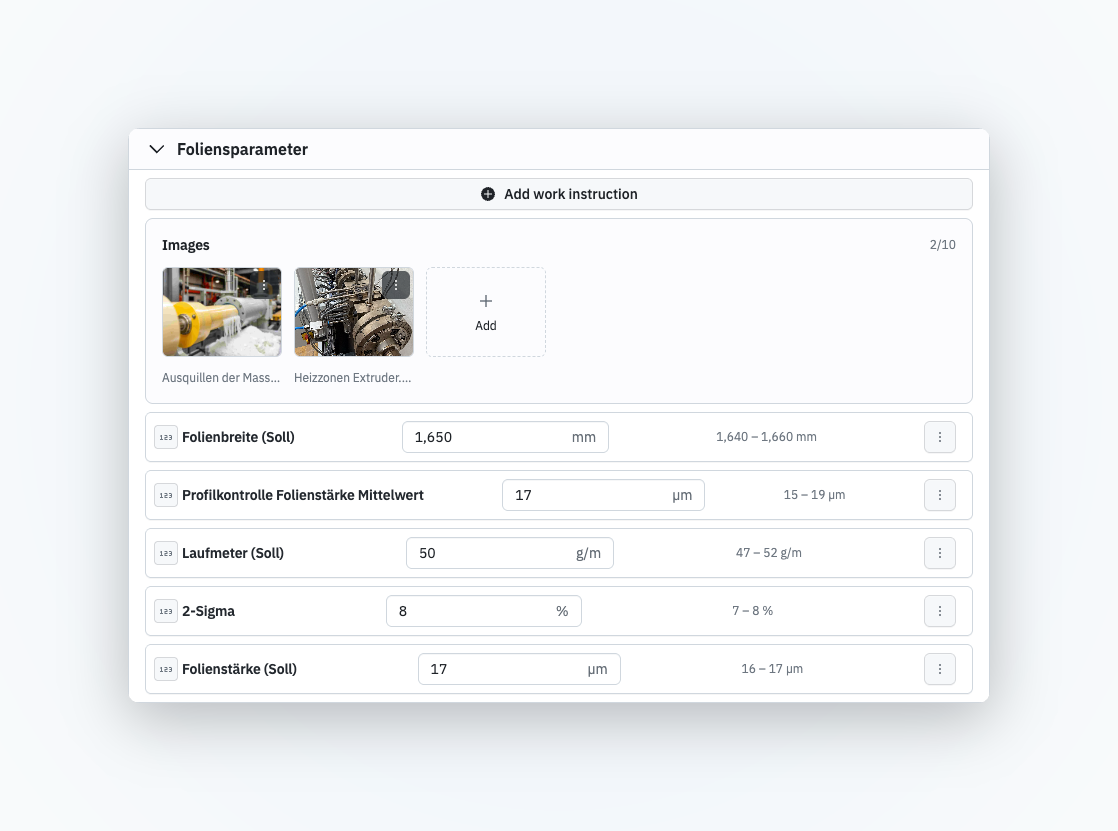
## Upload and view files on setup sheets
You can now add files to the parameter groups of a setup sheet (SOP), for example photos of the correct machine setup. Click an uploaded file to open it in a lightbox and view it at full size without leaving the page. Files you no longer need can be removed while editing.
{% endupdate %}
{% update date="2026-07-10" tags="app,bug-fix" %}
## Data sources table adapts to small screens
On smaller screens (e.g. 13-inch laptops), the global data sources table could only be scrolled horizontally. It now adapts to the available width.
{% endupdate %}
{% update date="2026-07-08" tags="app,bug-fix" %}
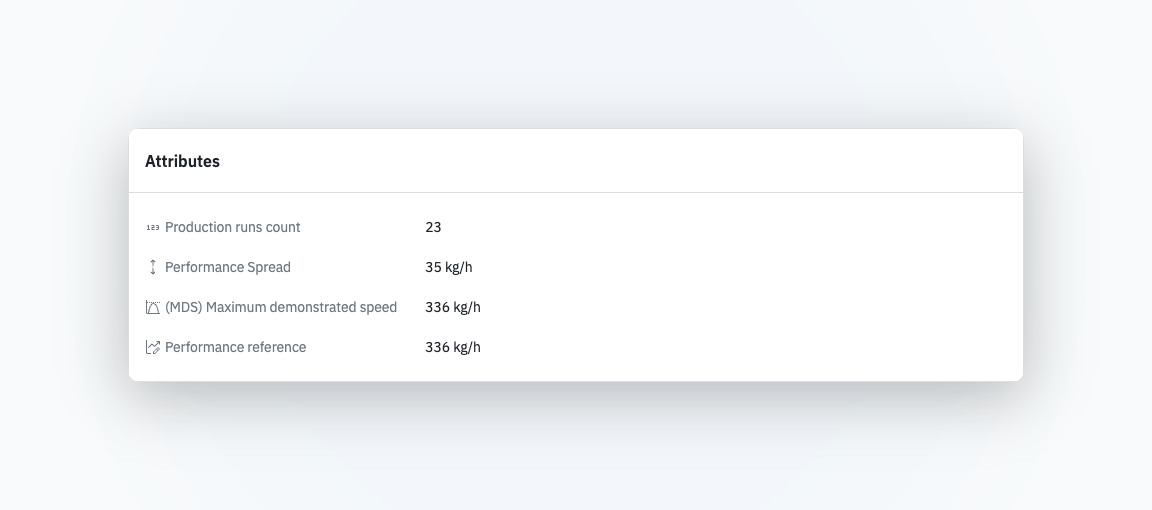
## Attribute names are no longer truncated
In the product overview, long titles in the Attributes section were cut off with an ellipsis. They now show in full, so you can immediately tell which attribute you are looking at.
{% endupdate %}
{% update date="2026-07-06" tags="edge,new-feature" %}
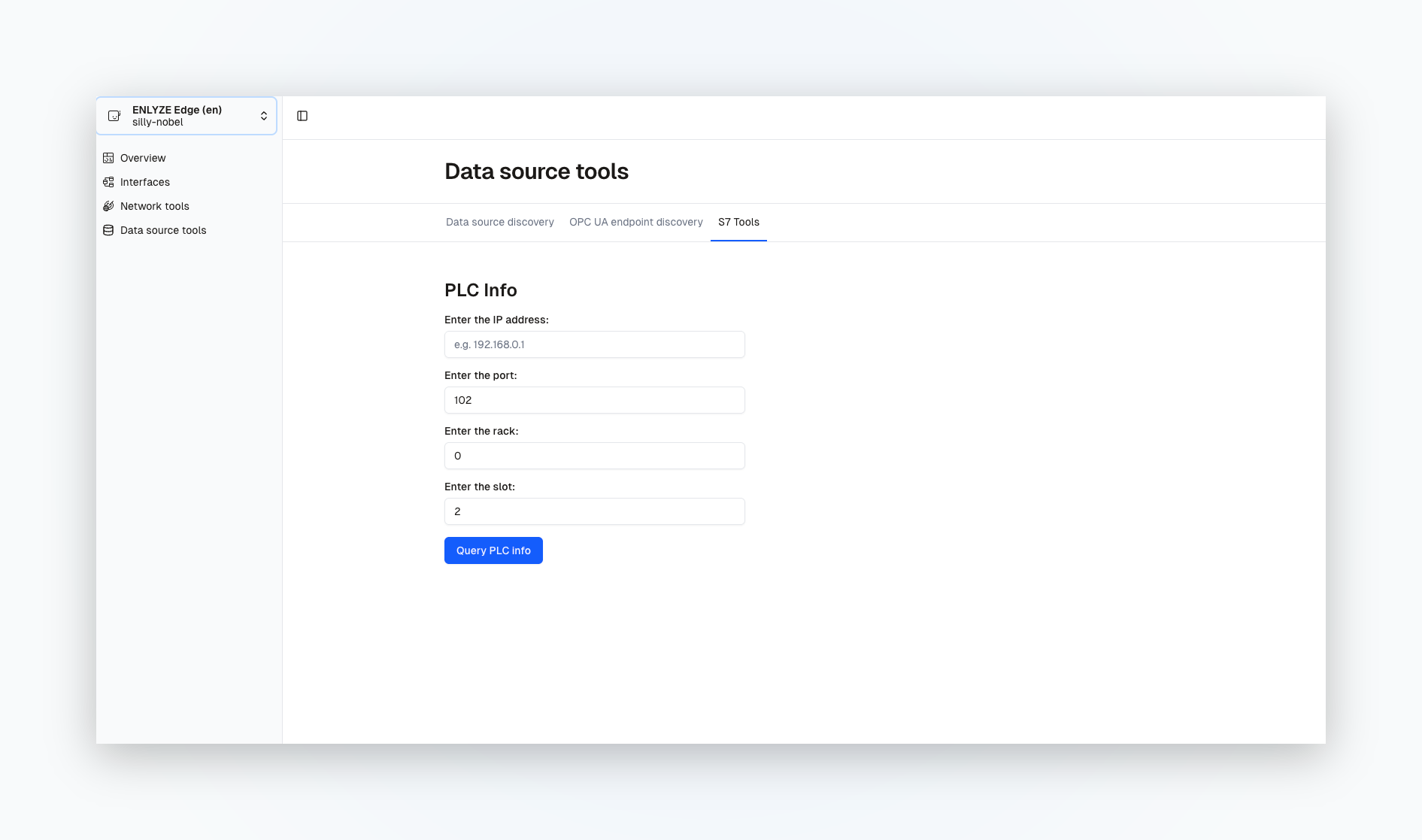
## View S7 PLC information in ENLYZE EDGE
For S7 Classic data sources (S7-300 and S7-400), the ENLYZE EDGE interface now includes a tool that shows information about the connected PLC. Just enter the PLC's IP address to get everything you need.
Do not know the IP address? No problem — run Data Source Discovery first. The S7 is listed together with its IP address; copy it and paste it in.
{% endupdate %}
{% update date="2026-06-24" tags="edge,new-feature" %}
## OMRON connector now available
You can now connect OMRON PLCs independently. We integrate OMRON PLCs natively via the FINS protocol. Find more information in our [detailed OMRON connector documentation](https://docs.enlyze.com/en/connect/ot-connectivity/supported-controller-brands/omron).
{% endupdate %}
{% update date="2026-06-23" tags="app,bug-fix" %}
## Improved error messages for incomplete variables
When configuring performance or downtime parameters, you now receive clear error messages if a variable is selected without a unit or scaling factor. Previously, saving only showed a confusing error message. Now you'll see exactly what the problem is and how to fix it.
{% endupdate %}
{% update date="2026-06-23" tags="app,new-feature" %}
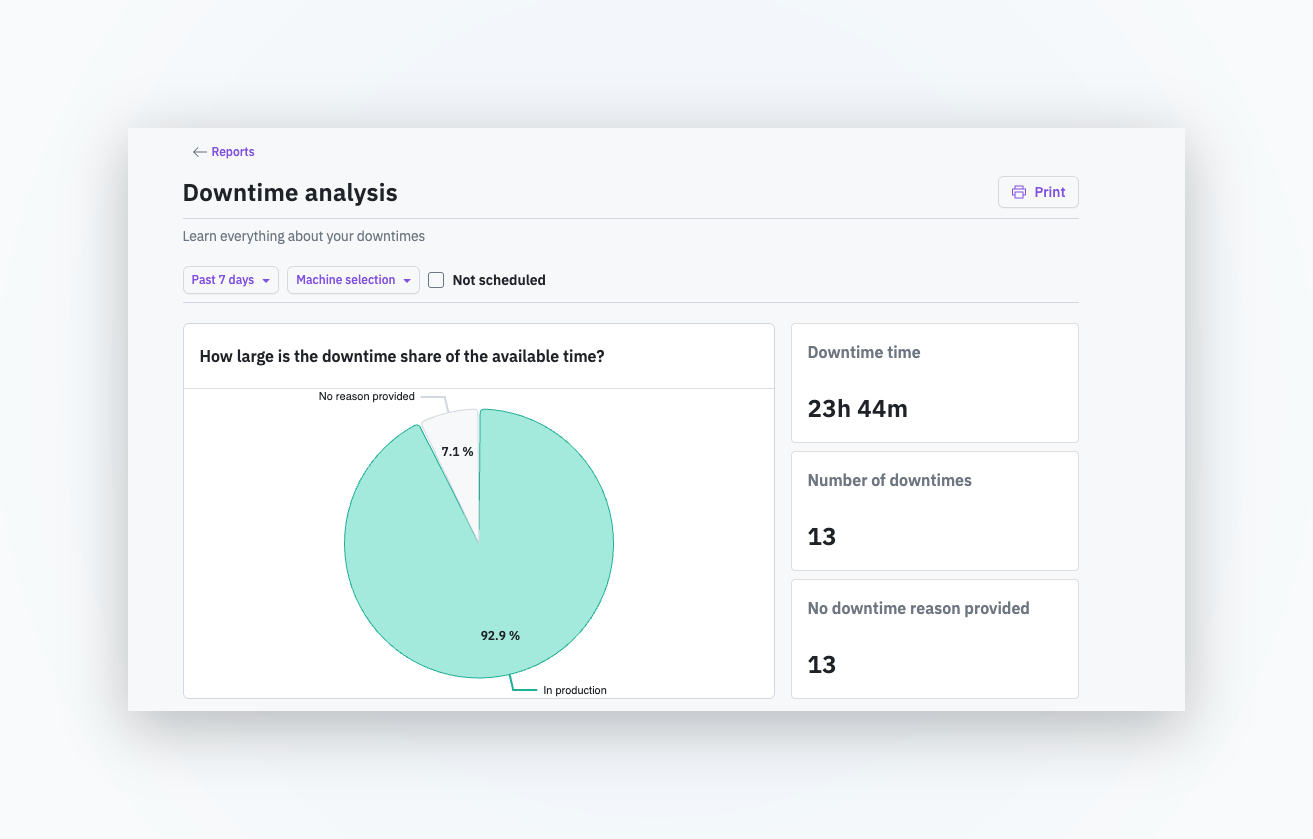
## Print and PDF export for downtime report
You can now print the downtime report. If you want to save the report as a PDF, simply select PDF format from your browser's print dialog. This makes it easy to share and archive the report.
{% endupdate %}
{% update date="2026-06-22" tags="app,new-feature" %}
## Delete individual setup sheets
Previously, you could only delete the entire setup sheet configuration for a machine. Now you can also delete individual setup sheets for specific products. This gives you complete flexibility when managing your setup sheets.
{% endupdate %}
{% update date="2026-06-17" tags="app,new-feature" %}
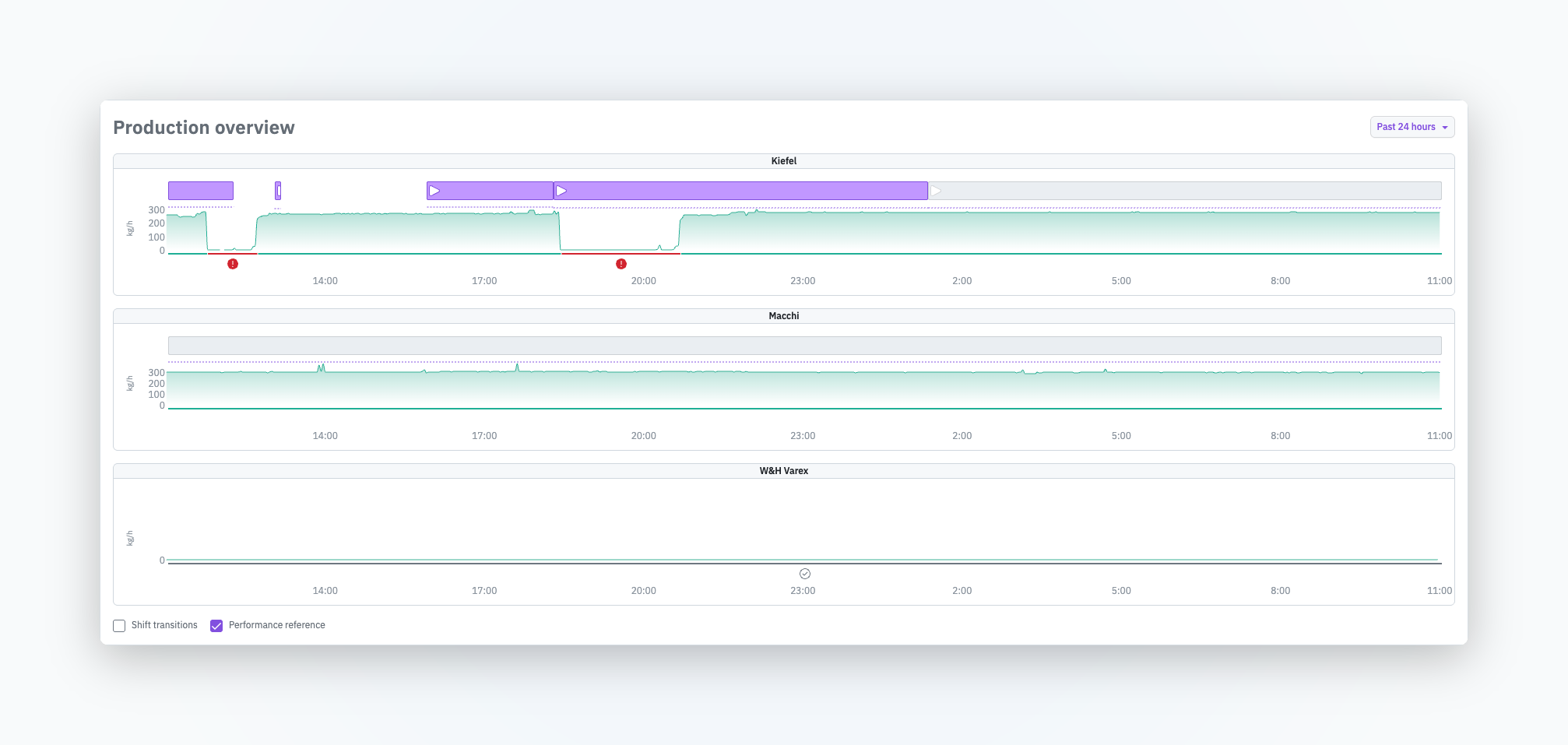
## Product-specific performance reference line on the home screen
The production overview now displays the product-specific performance reference line for each production run (purple dashed line). This lets you see at a glance whether a production suffered from both availability issues and performance deficits — without opening the production run detail modal each time. To show the performance reference line, check the Performance reference checkbox.
{% endupdate %}
{% update date="2026-06-12" tags="app,new-feature" %}
## ENLYZE MCP - connect your manufacturing data to your AI chatbot or agent
With ENLYZE MCP, you can connect your AI tools directly to your data in ENLYZE. This lets you run AI analyses, chat with your data, or have your AI agent build reports for you. Setting up the connection takes just a few clicks.
Learn how to set up the connection [here](/en/integrations/mcp/set-up-mcp-server.md).
{% endupdate %}
{% update date="2026-06-11" tags="app,bug-fix" %}
## "Go to batch record" button is disabled when no setup sheet is defined
The "Go to batch record" button is now properly disabled when no setup sheet is defined for a product and therefore no batch record exists. This makes it immediately clear when no batch record is available. Previously, you had to hover over the button to see the tooltip.
{% endupdate %}
{% update date="2026-06-10" tags="app,bug-fix" %}
## Zoom level is preserved when navigating between data sources
When inspecting data sources in the topology view by opening the side panel, the zoom level is now maintained as you navigate between different sources. This makes it much easier to move back and forth between different data sources.
{% endupdate %}
{% update date="2026-06-09" tags="app,new-feature" %}
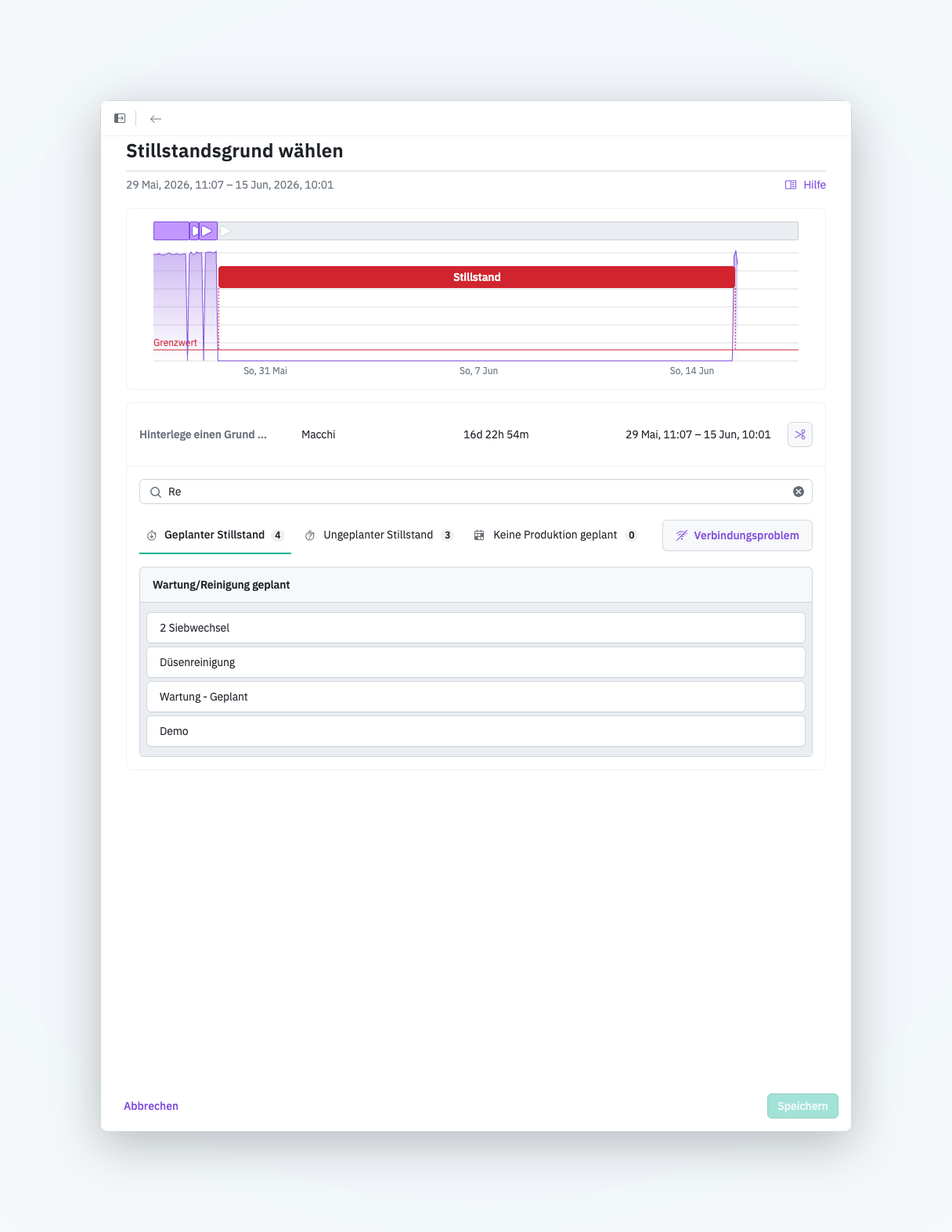
## Search field for downtime reasons
Downtime reasons can now be searched when you want to record a downtime reason. This is especially helpful when you work with a large downtime catalog with many reasons and want to quickly find a specific one.
Find more details about this new feature [in the documentation](/en/production-optimization/downtimes/assigning-reasons.md).
{% endupdate %}
{% update date="2026-05-29" tags="app,enhancement" %}
## Improved usability for downtime report
The **No Production Planned** checkbox in the downtime report is now unchecked by default. This way, you see planned and unplanned downtimes immediately, without any extra steps.
{% endupdate %}
{% update date="2026-05-29" tags="app,new-feature" %}
## Create and manage API keys
You can now create and manage personal and organizational API keys. Find out how personal and organizational API keys differ and when to use each option in [Manage API keys](/en/administration/api-keys.md).
{% endupdate %}
{% update date="2026-05-28" tags="edge,new-feature" %}
## Zumbach ODAC data source connector
ENLYZE EDGE now supports Zumbach's laser-based ODAC measuring heads. They measure the diameter, ovality, and position of round products and profiles without contact and are typically used in wire, cable, and hose extrusion as well as in plastics and rubber processing.
The new ODAC connector reads the measured values (such as diameter, deviation, and production length) directly via the measuring head's Ethernet interface. Thanks to Variable Discovery, the available variables are detected automatically, so connecting is quick.
Find out more in [ODAC](/en/connect/ot-connectivity/supported-industrial-protocols/odac.md).
{% endupdate %}
{% update date="2026-05-27" tags="app,new-feature" %}
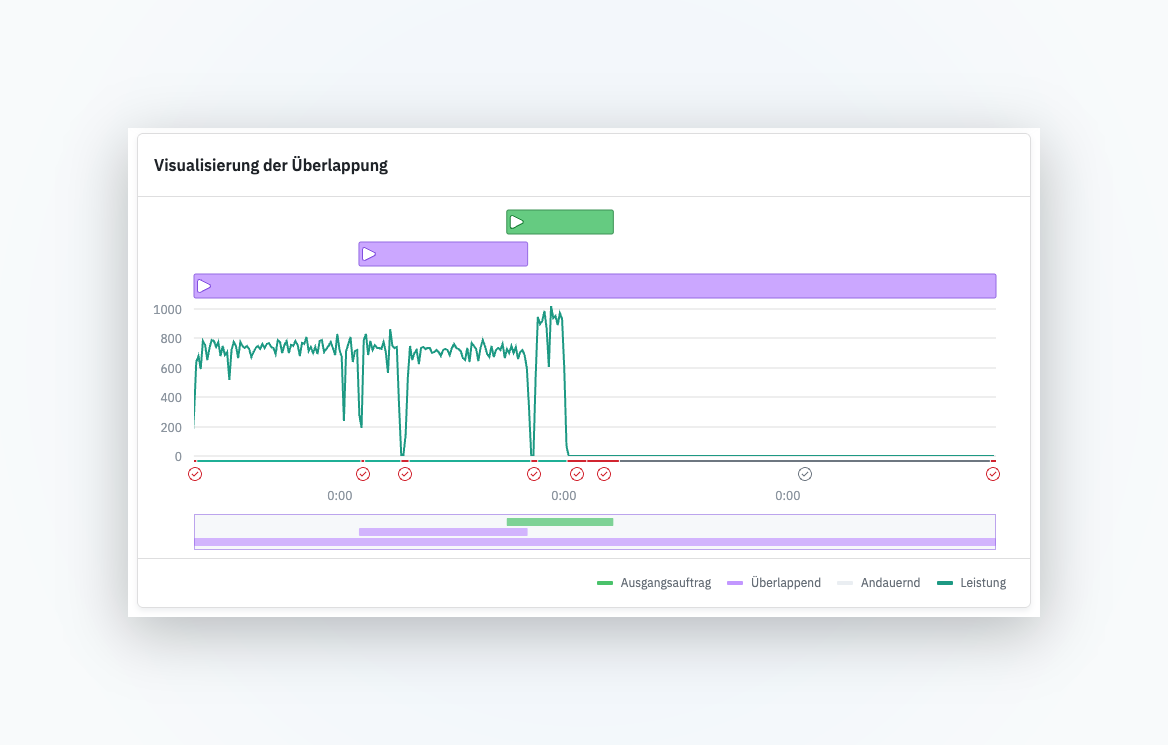
## Investigate overlapping production runs
Identifying data quality issues and their causes is a major topic, especially early in an ENLYZE rollout. Often, such issues only become visible and traceable with ENLYZE. One of the most common causes is overlapping production runs on the same machine: incorrect manual run bookings cause runs to overlap in time. Such overlaps prevent a clean assignment of time series data to runs and products. Any metric that depends on the run context (such as OEE or performance tracking) can then no longer be determined reliably. With the new feature, these overlaps become visible for the first time, so you can analyze and fix their causes.
Find out more in [Analyze overlapping production runs](/en/production-optimization/data-quality/overlapping-production-runs.md).
{% endupdate %}
{% update date="2026-05-20" tags="app,bug-fix" %}
## OEE quality metric: calculation reworked
Previously, the OEE was undefined for any period where scrap data was expected but not yet recorded. The quality metric was set to "undefined", which made the OEE undefined as well (since it's calculated multiplicatively). Because scrap is often recorded after the fact, OEE values on the home screen were frequently unusable.
We now assume 100% quality by default until scrap is actually recorded. In the user interface, the quality metric remains visible as "undefined" so it's clear that scrap data is still missing.
{% endupdate %}
{% update date="2026-05-18" tags="edge,enhancement" %}
## S7+ connector: improvements
Automatic TLS detection If an S7+ data source supports TLS, this is now detected and configured automatically. Certificate paths no longer need to be located and set manually.
Connection established as HMI by default Previously, the S7+ connector identified itself as an Engineering Station to the S7 controller. If connected HMIs had automatic Transfer Mode enabled, they switched from normal operation into Transfer Mode when the connection was established — disrupting the running process. A more detailed explanation is available here. The connector now connects as an HMI by default. This means fewer permissions, but no disruption to operations. If the connection as HMI fails, the connector can still be configured as an Engineering Station with elevated privileges.
Bugfix in the password field When opening an existing S7+ connection, the password toggle was incorrectly reset to "required", even when no password had originally been configured. This is now fixed.
{% endupdate %}
{% update date="2026-05-18" tags="edge,bug-fix" %}
## ENLYZE EDGE: frozen user interface when changing network routes
Fixed a critical bug that caused the ENLYZE EDGE user interface to freeze and become unusable when static routes were added to or removed from the network interface.
{% endupdate %}
{% update date="2026-05-15" tags="app,new-feature" %}
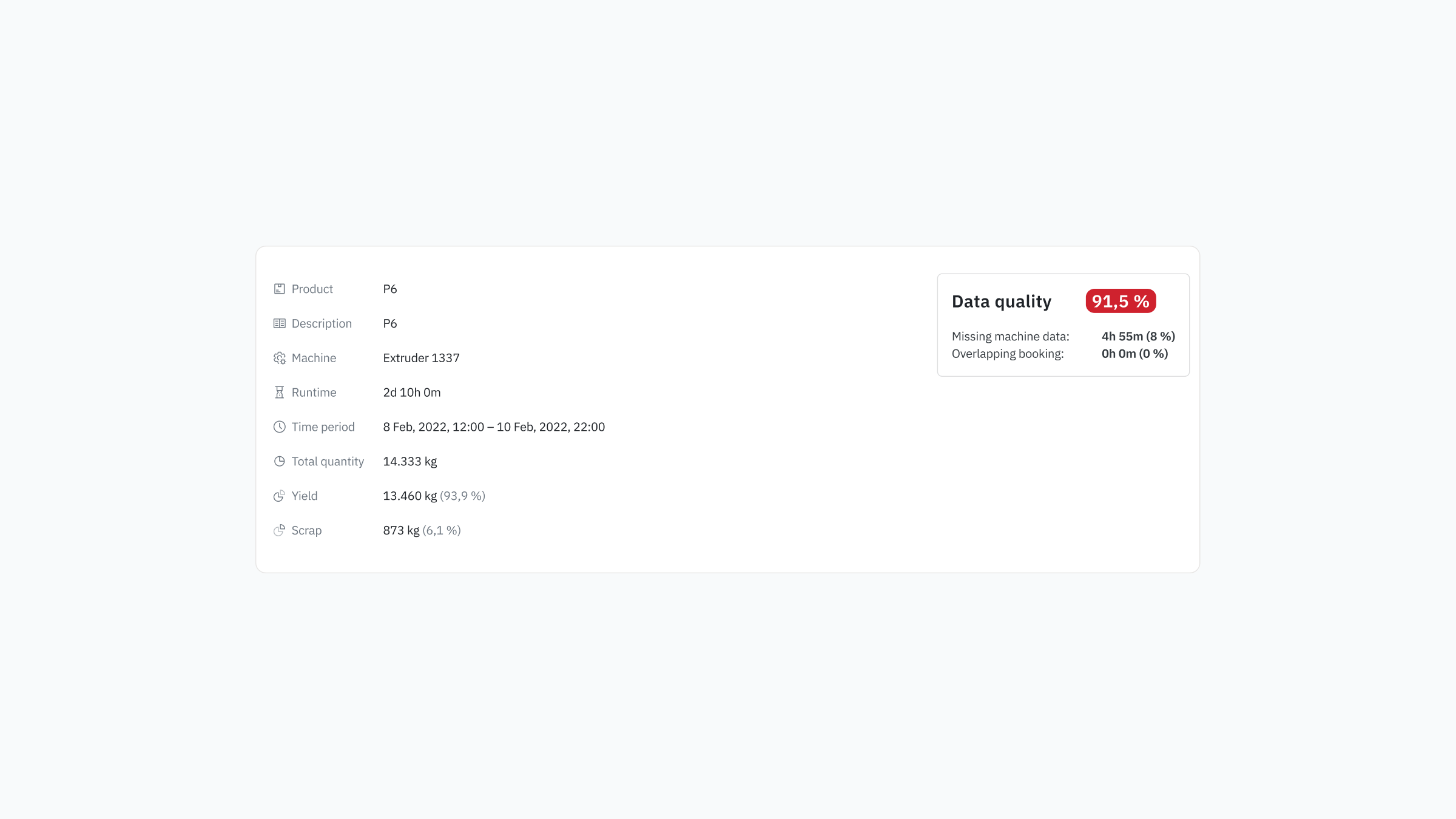
## Data quality overview on Production Run detail page
We have improved the Data Quality block on the Production Run detail page. It now also shows the missing data or overlap as a percentage of total run time. This helps you assess the impact of the issues quicker.
{% endupdate %}
{% update date="2026-05-13" tags="app,enhancement" %}
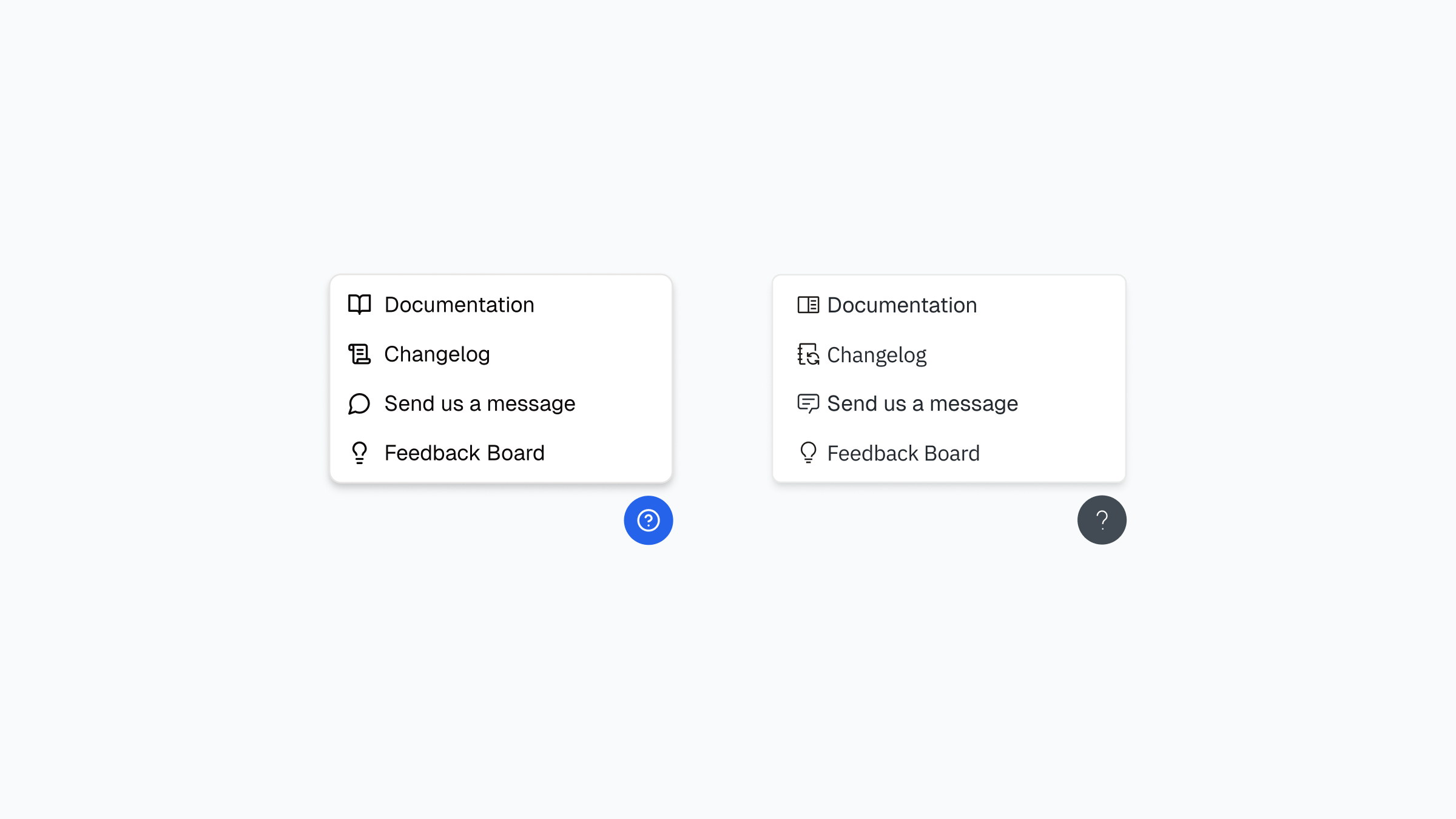
## Changelog link now in support & feedback menu
Quick access to the changelog is now available in the support & feedback modal (the help menu in the bottom right). Click "Changelog" to open the full changelog in a new tab, with language-specific links based on your profile settings.
{% endupdate %}
{% update date="2026-05-13" tags="app,enhancement" %}
## Link to the order with the highest performance
The order that achieved the Maximum Demonstrated Speed (MDS) is now linked directly. One click takes you to all the details of that order.
{% endupdate %}
{% update date="2026-05-12" tags="app,enhancement" %}
## Quality data warnings in Production Details chart
When you hover over a production run in the performance distribution chart on the Product Details page, the tooltip now shows quality-data warnings if that run has issues like negative scrap or missing quantity data. This alerts you to potential reliability concerns when interpreting OEE and quality numbers.
{% endupdate %}
{% update date="2026-05-12" tags="app,enhancement" %}
## Improved validation for data source IP addresses
When creating or editing a data source, the IP/Host field now validates that input is a valid IPv4 address and strips leading or trailing whitespace. Invalid entries are caught immediately with clear feedback, preventing connection errors caused by typos or accidental spaces.
{% endupdate %}
{% update date="2026-05-12" tags="edge,bug-fix" %}
## S7+ string variables now decode correctly
Fixed a bug where S7+ protocol string variables were being incorrectly decoded as integer arrays instead of text strings. Variable Discovery and data acquisition now correctly interprets string data from S7+ devices.
{% endupdate %}
{% update date="2026-05-09" tags="app,bug-fix" %}
## Comment field for downtime reasons now wraps long text correctly
Previously, long text and line breaks in the comment field for downtime reasons weren't displayed properly. From now on, line breaks are preserved and long text wraps cleanly — making the comment field fully usable again.
{% endupdate %}
{% update date="2026-05-08" tags="app,enhancement" %}
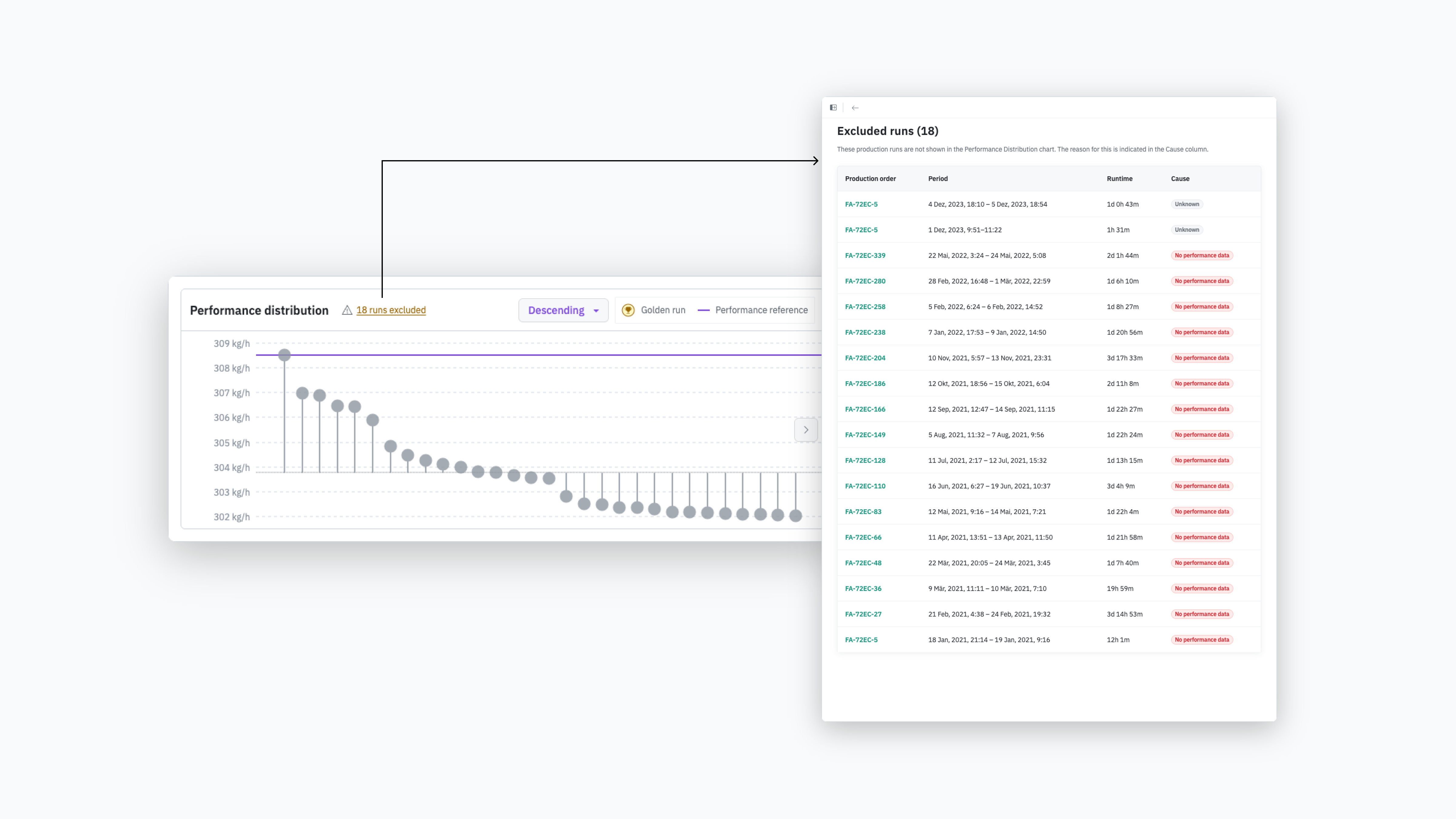
## Transparent display of excluded production runs on the product page
In the product list and product detail view, we now show the total number of orders and clearly indicate which orders are not included in the "Performance distribution" chart. Previously, orders were filtered out without notice, which caused confusion — orders seemed to disappear unexpectedly. From now on, you can see at a glance how many orders cannot be shown in the performance distribution. One click opens a list of all excluded orders, including the reason for each. This creates a clearer overview, strengthens trust in the underlying data, and makes data quality issues traceable.
{% endupdate %}
{% update date="2026-05-06" tags="edge,bug-fix" %}
## S7Plus variable discovery now handles arrays with symbolic bounds correctly
The Edge Device can now reliably discover S7Plus variables in arrays that use symbolic array bounds, improving compatibility with complex PLC configurations.
{% endupdate %}
{% update date="2026-04-30" tags="app,enhancement" %}
## Centralized access to support and feedback
Until now, support, help, and feedback channels were scattered across the platform. From now on, you'll find everything in one place: the question mark icon in the bottom right gives you access to all three touchpoints.
{% endupdate %}
{% update date="2026-04-29" tags="app,new-feature" %}
## Delete set-up sheets
You can now delete set-up sheets from your machine configuration. Deleting removes the setup data sheet itself, all its parameters, and the associated limit values.
This unlocks two previously blocked actions:
{% endupdate %}
{% update date="2026-04-28" tags="app,bug-fix" %}
## Escape key now closes sheets correctly in topology view
Fixed an issue where pressing Escape to close a sheet in the topology view would reopen the previously opened sheet instead of closing the current one. Now pressing Escape closes only the active sheet as expected.
{% endupdate %}
{% update date="2026-04-23" tags="app,bug-fix" %}
## Sheet navigation history now works across multiple levels
The back button in sheet navigation now correctly maintains the full history of sheets you've visited. Previously it stopped working after the first navigation step. Now you can move back through multiple sheet transitions without losing your navigation path.
{% endupdate %}
{% update date="2026-04-23" tags="edge,bug-fix" %}
## S7+ protocol now correctly handles word data writes
The Edge Device has been fixed to properly support writing word, double-word, and long-word data types when using the S7+ protocol. Previously these data types were incorrectly converted during transmission, causing validation errors.
{% endupdate %}
{% update date="2026-04-22" tags="app,bug-fix" %}
## Delete throughput configuration
You can now delete the throughput configuration of a machine — previously only adjusting the performance parameter was possible.
Current limitation: Editing or deleting is only possible for machines without configured setup data sheets. The reason: setup data sheets reference the performance parameter directly, so changes could otherwise cause errors in the app.
If you'd like to adjust or remove performance tracking for a machine that already has setup data sheets, reach out to your support contact — we'll handle it manually.
Over the coming weeks, we're working on enabling editing and deletion of performance tracking even when setup data sheets already exist.
{% endupdate %}
{% update date="2026-04-17" tags="app,bug-fix" %}
## Setup data sheet now accepts negative values in tolerance fields
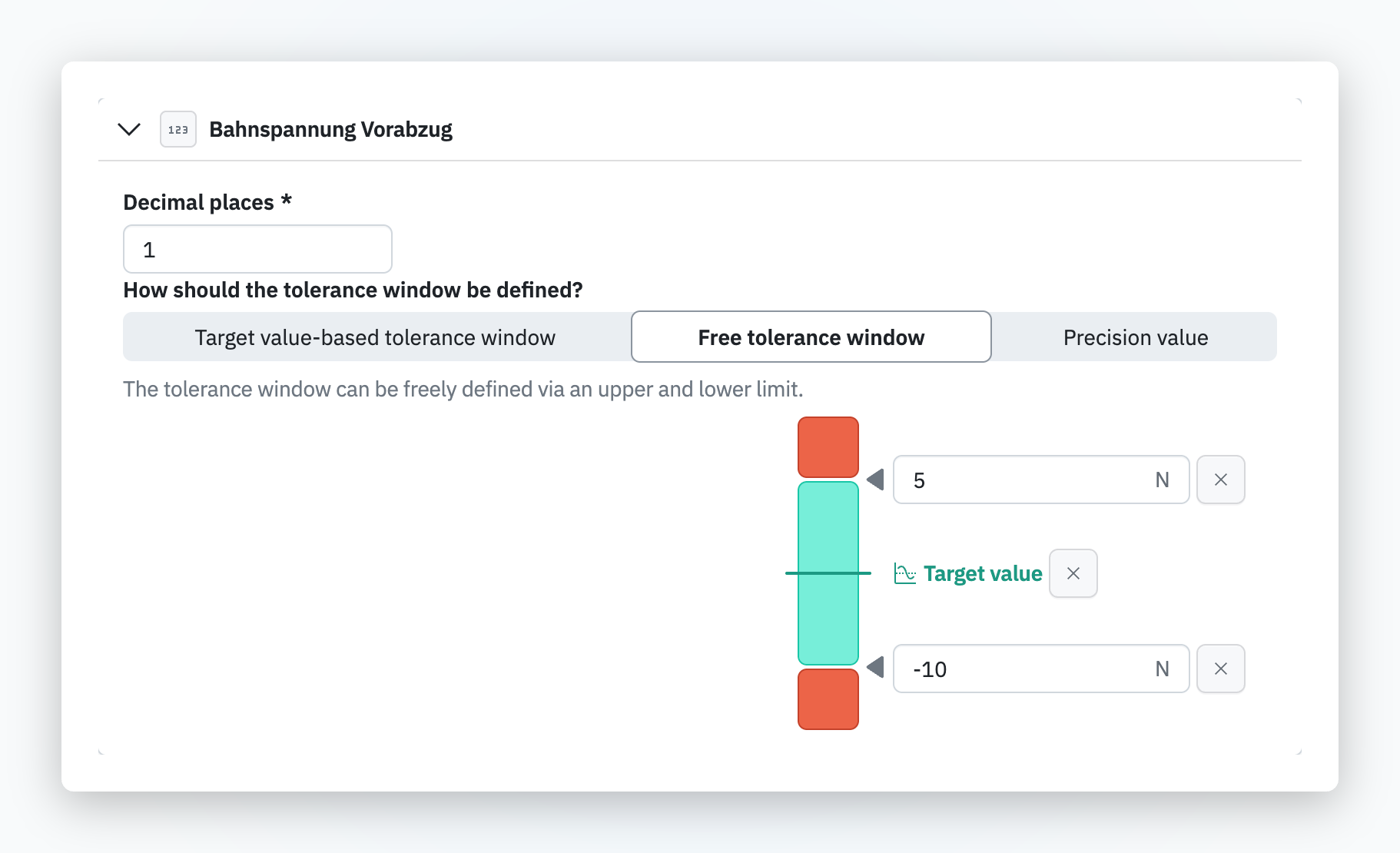
The tolerance input fields in the setup data sheet now correctly accept and store negative values, which are essential for parameters like vacuum pressures or cooling zone levels. Previously, entering a negative value would strip the minus sign and revert to a positive number.
{% endupdate %}
{% update date="2026-04-17" tags="app,bug-fix" %}
## Availability metric now correctly displays zero instead of undefined
When a machine has planned downtime covering an entire time range, the Availability score now correctly displays as 0 instead of showing as undefined or null.
{% endupdate %}
{% update date="2026-04-17" tags="app,enhancement" %}
## Date range picker label now accurately reflects selected time window
The date range picker's "Last X Days" label now correctly indicates the rolling 24-hour window behavior. When selecting 1 day, the button now displays "Last 24 Hours" instead of the ambiguous "Last Day", eliminating confusion with calendar day selections.
{% endupdate %}
{% update date="2026-04-15" tags="app,enhancement" %}
## Home screen time range selection is now persisted
Your selected time range (e.g., last 6 hours instead of the default 24 hours) on the home screen is now saved and restored when you return, eliminating the need to re-select the range each visit.
{% endupdate %}
{% update date="2026-04-15" tags="app,bug-fix" %}
## Production overview chart now correctly displays downtimes without throughput configuration
Fixed a rendering issue where machines with downtime configuration but no throughput configuration would show downtimes as tiny dots at the edge of the chart. Downtimes now display correctly across the full 24-hour timeline regardless of throughput setup.
{% endupdate %}
{% update date="2026-04-14" tags="app,bug-fix" %}
## Setup data sheet now handles missing variables gracefully
Fixed a crash that occurred when a setup data sheet referenced variables that were no longer available or had been updated. The view now displays the data sheet correctly instead of showing a misleading error message, and Co-Pilot accurately reflects whether a setup data sheet exists.
{% endupdate %}
{% endupdates %}