Co-Pilot
Live process monitoring on the shopfloor
What is the Co-Pilot for?
The Co-Pilot allows machine operators to view all configured setup sheets directly on the shopfloor. During a product changeover, the target values can be set up at the line immediately and monitored afterwards.
Benefits of the Co-Pilot
Real-time monitoring: The Co-Pilot continuously compares the live data from the line with the target values from the setup sheet and detects deviations immediately.
Reduced view: Only the information relevant to the shopfloor is displayed, simplifying operation and keeping the focus on essential data.
Live mode: A live mode is available at any time to compare current process data directly with the target values and react quickly to changes.
These features help the Co-Pilot support targeted control of production parameters, enabling quick adaptation to changing production requirements.
Performance target - a specification for the speed or throughput at which the product should be manufactured on the line
Setup parameter targets - a target range for each setup parameter to quickly and easily identify deviations in the parameter space.
How does it work?
The Co-Pilot can be accessed via the navigation in the sidebar.

Finding the right product
First, you need to find the right product. Start by selecting the appropriate line. The top entry in the product list is the product currently being manufactured on the selected line. It has the status In Production.

The information about which product is currently In Production is received from other systems. There may be delays. You should always briefly verify that it is actually the correct product, especially if a product changeover has taken place in the last few minutes.
Click on the product to navigate to the Co-Pilot page for that product.
Using the Co-Pilot
The Co-Pilot has two different views: the Static view and the Live view. The static view is designed to give you an overview of the next product to be manufactured. The live view helps you with the product currently being manufactured.


You can switch between the static and live view at any time using the toggle in the top right corner of the Co-Pilot.


Production instructions: comments and notes
During the production process, comments may have been added to various elements to provide useful guidance:
Product level: General instructions or notes relevant to the entire product.
Parameter groups: Targeted instructions attached to specific groups of parameters that can be helpful during a changeover to a different product.
Individual parameters: Especially sensitive parameters with specific comments. These notes might, for example, indicate that certain parameters should be checked regularly or documented separately.
This ensures that all production instructions are stored directly in the setup sheet.
Static view

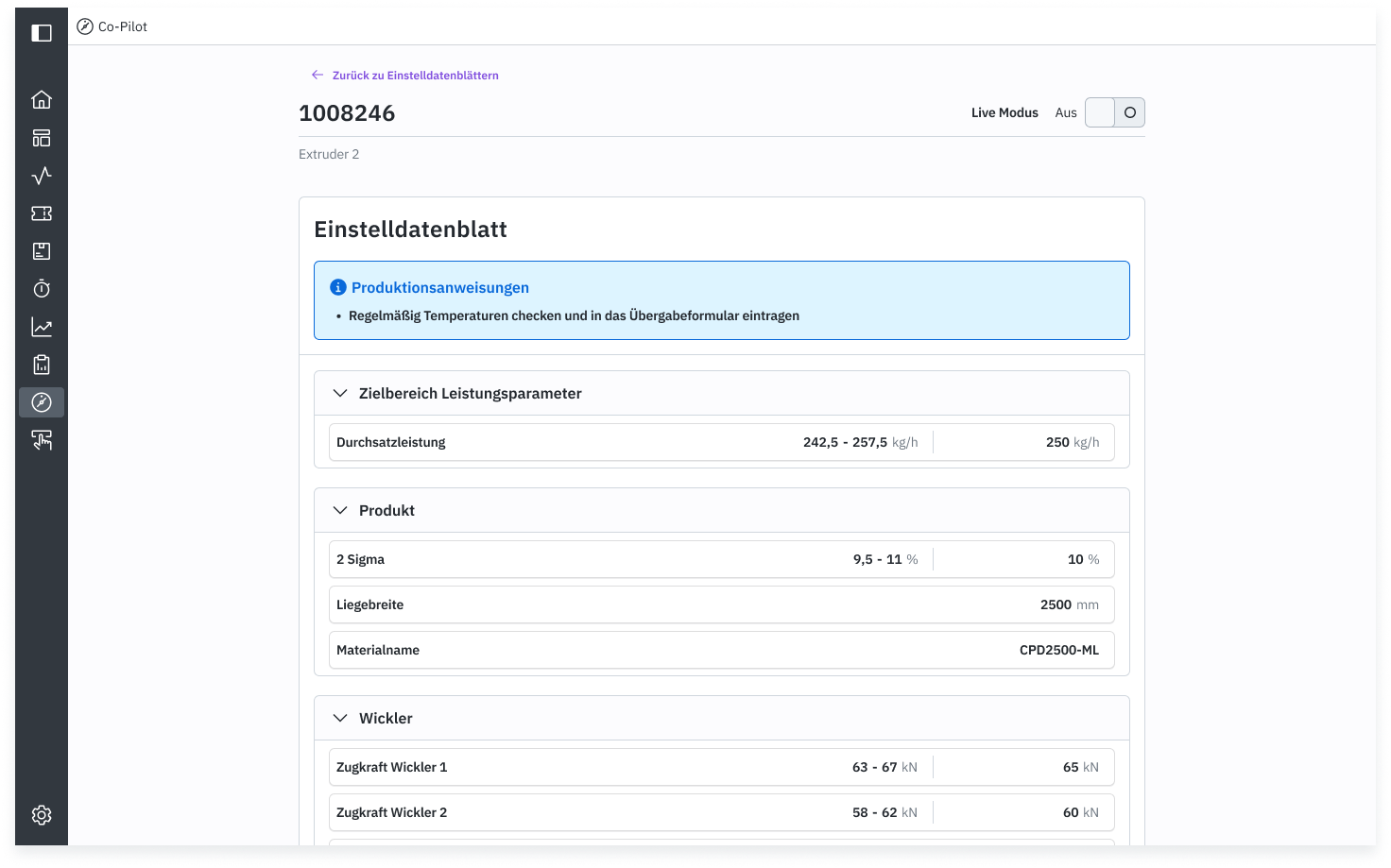
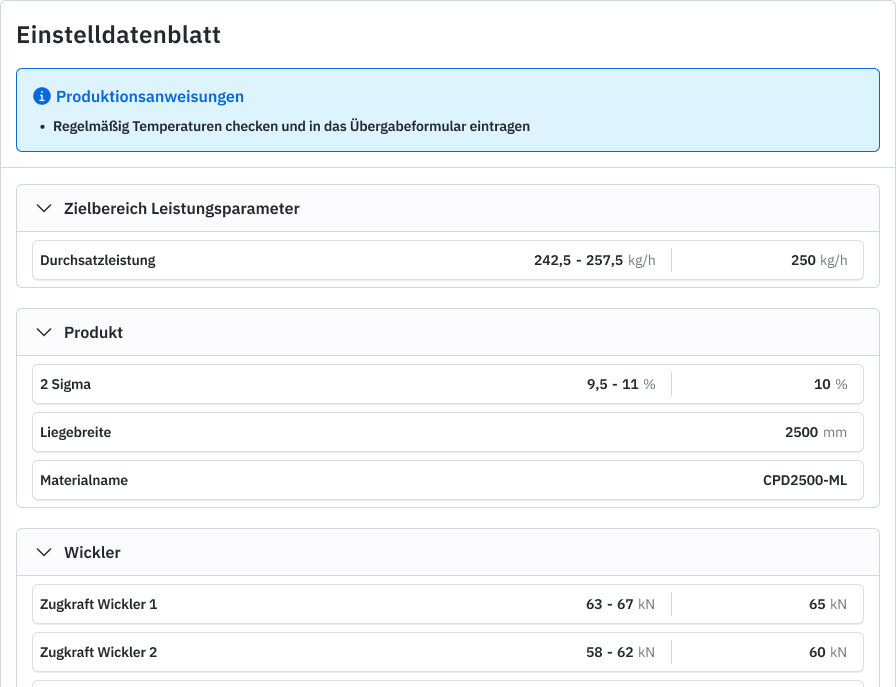
In the static view, the setup parameters and tolerances from the setup sheet are displayed. This view is helpful for preparing for a product changeover. You can review in advance which setup parameters should be chosen for the upcoming product and plan the changeover accordingly.

Live view
The live view helps you compare the target values for the product against the live machine state.

Deviating parameters
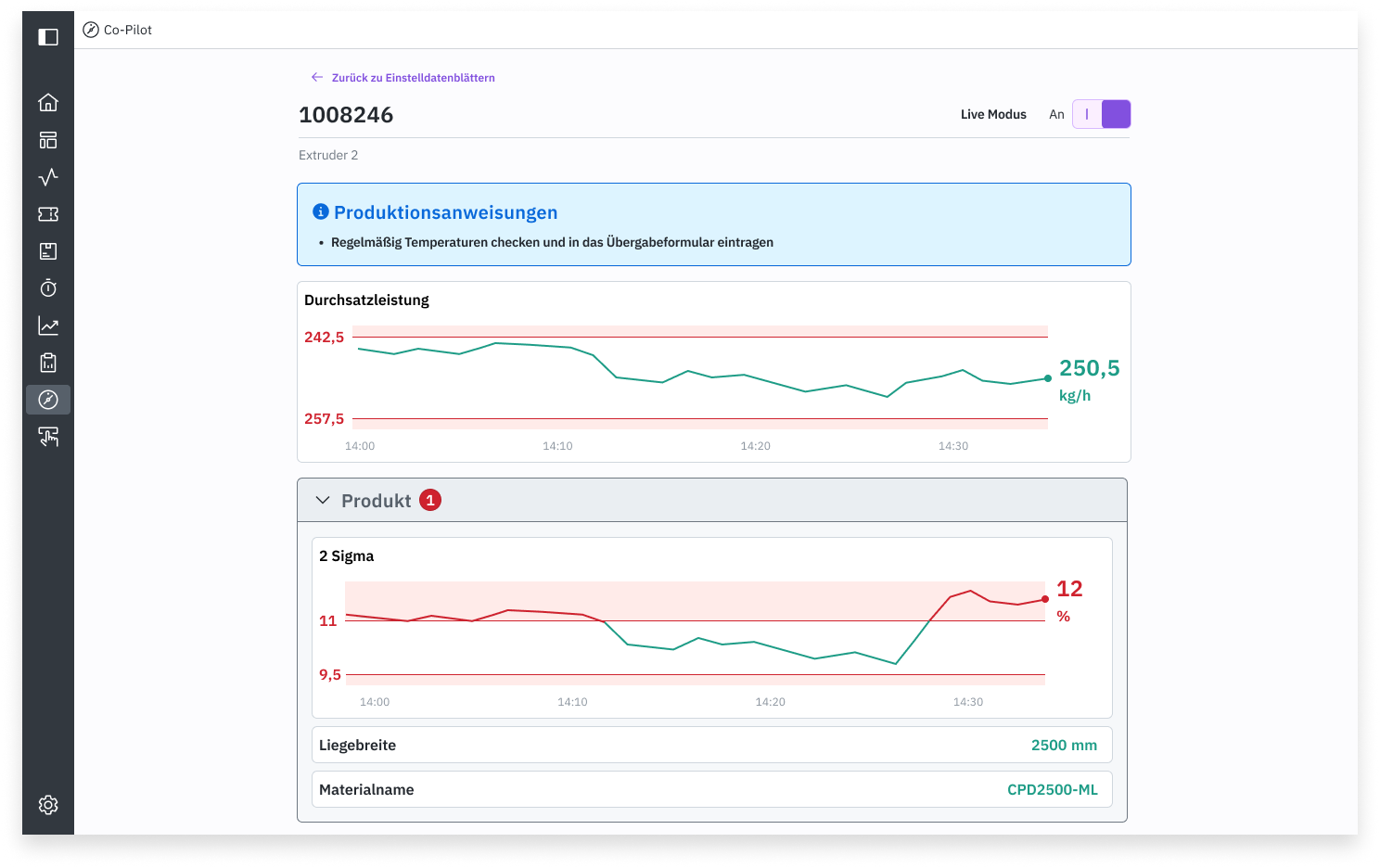
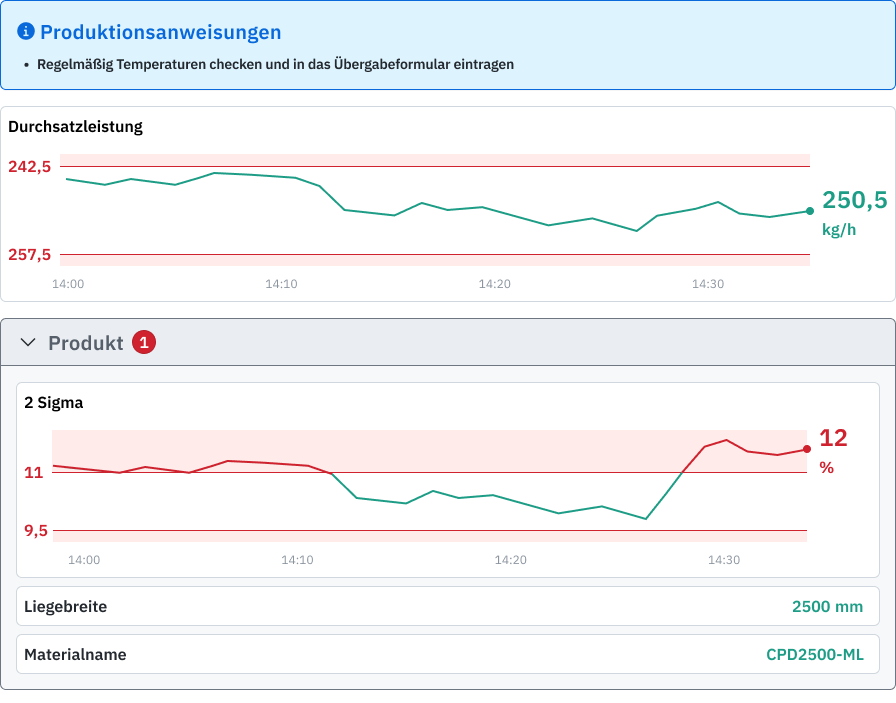
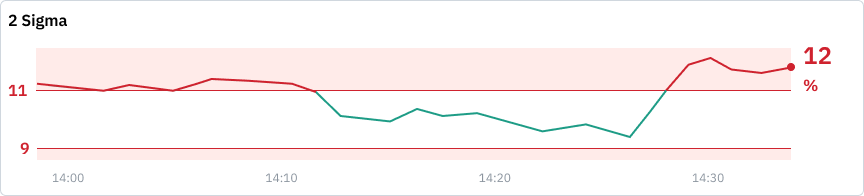
In the live view, the target values are compared with the current values of the setup parameters. The current values are the values that are live at the line for each setup parameter. Parameters with deviations are highlighted in red, displayed as a large line chart, and marked in the parameter group. The chart shows the trend over the last 30 minutes, making it easier to understand the current deviation.

To keep a clear overview, the parameter card with the deviation can be collapsed at any time by clicking with the mouse or tapping with your finger.

A deviation assessment is automatically performed in the background and communicated to you via colors:
Red - there is a significant deviation for this setup parameter. You should take a close look at these parameters and adjust them if necessary.
Green - little to no deviation. No action is needed.
The live view may have a delay of up to 30 seconds
This means that when you adjust a value at the line, it can take up to 30 seconds before the updated value is displayed in the Co-Pilot.
Parameter representations
Depending on the target value settings in the setup sheet, there are different visualizations for parameters.
Precision value: No deviation is allowed for this parameter.

Upper and lower tolerance: There is an upper and a lower tolerance.

Only lower tolerance: A specific value must not be undercut.
Only upper tolerance: A specific value must not be exceeded.
Configuration not complete: The production manager has not fully configured this parameter.
Not seeing all relevant setup parameters? Contact your production manager. They can add additional process variables to the setup parameters.
Setup sheet not configured
Prerequisites for using the Co-Pilot
Before the Co-Pilot can be used, the following three steps must be completed:
Define the throughput parameter for the line The desired throughput parameter for the line must be defined.
Create a setup sheet Create a setup sheet that contains the specific parameters of the line. This sheet forms the basis for creating product-specific setup sheets.
Fill in the setup sheet with product targets Fill in the setup sheet with the target values for the desired product to ensure that the correct settings can be used at the line during production.
Only after these three steps are completed can the Co-Pilot provide its intended functionality and optimally support the production process.
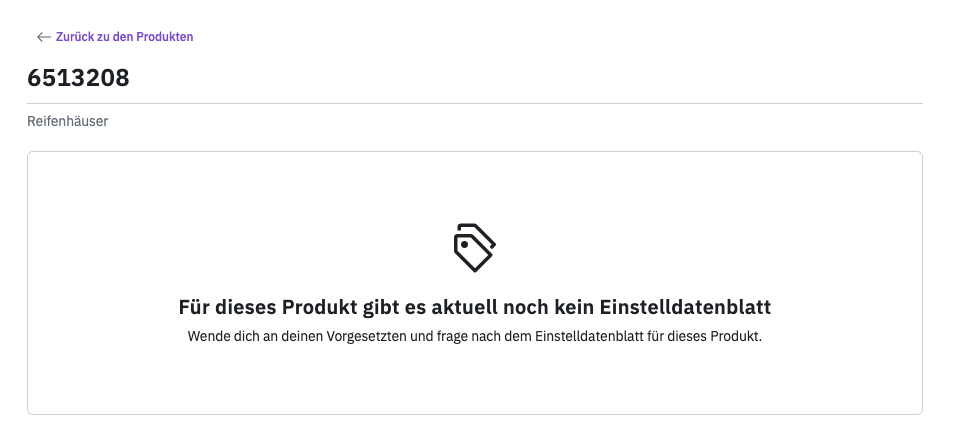
Setup sheet not configured for this product
It can happen that a setup sheet is not yet available for a product, for example when it has only recently been added to the portfolio. In this case, you need to contact your production manager and ask them to set it up for this line.

Last updated